Palo Alto Junior Museum & Zoo
Exhibit design for a children's museum and zoo, including the California Dinosaur Garden, an outdoor exhibit designed for children of all abilities.
Palo Alto Junior Museum & Zoo is a science museum and zoo for young kids and their families. I first worked with them in 2022 on animal ID panels and illustrations, and they brought me back as design lead for the California Dinosaur Garden, an outdoor exhibit about California's Cretaceous period. I led the visual and spatial design, from the branding and wayfinding to the panels and an interactive display.
The challenge was explaining fairly complex ecology to children and families, making it work for visitors of all abilities, and getting it all done for a fixed opening date. A few things shaped the design:
- Young audienceComplex ecology, explained for children and the parents, grandparents and caregivers with them.
- Every abilityWheelchair access, braille, tactile and sensory-rich elements.
- OutdoorsType, placement and materials had to hold up in physical space.
- Fixed dateEverything had to be ready for the grand opening.
An exhibit built for children of all abilities
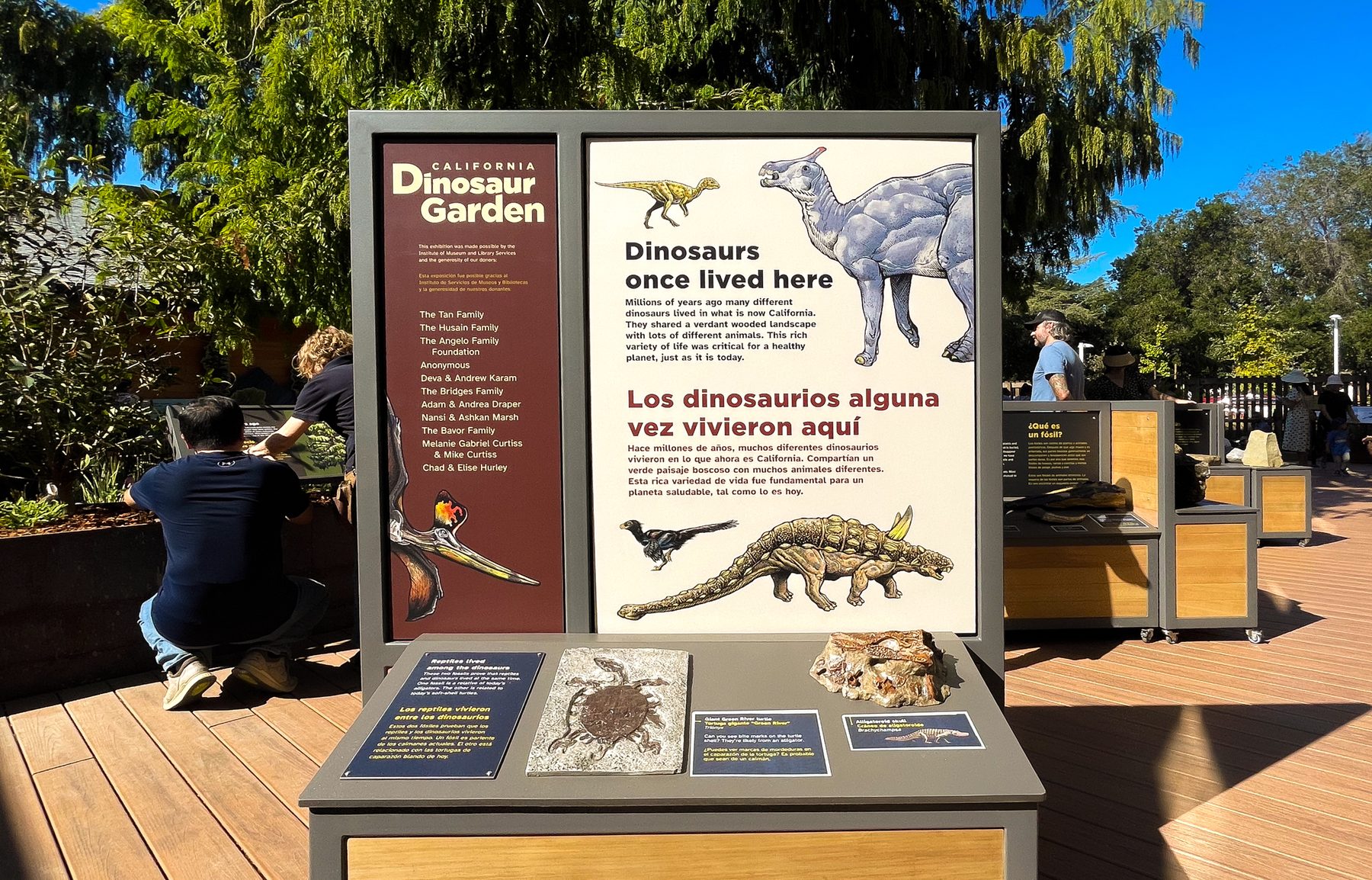
The Dinosaur Garden opened with panels visitors can see, touch and hear.
- Multilingual
- panels, so more
families can read along - Multisensory
- braille, tactile panels
and audio for every panel - 3
- projects with the museum,
2022 to 2023 - User‑informed
- design, shaped
with educators
The work
A fixed opening date, a lot of science and very young visitors. The key decision came from one panel's audio buttons, which led to an audio version of every panel.
Planned on one map, built from templates
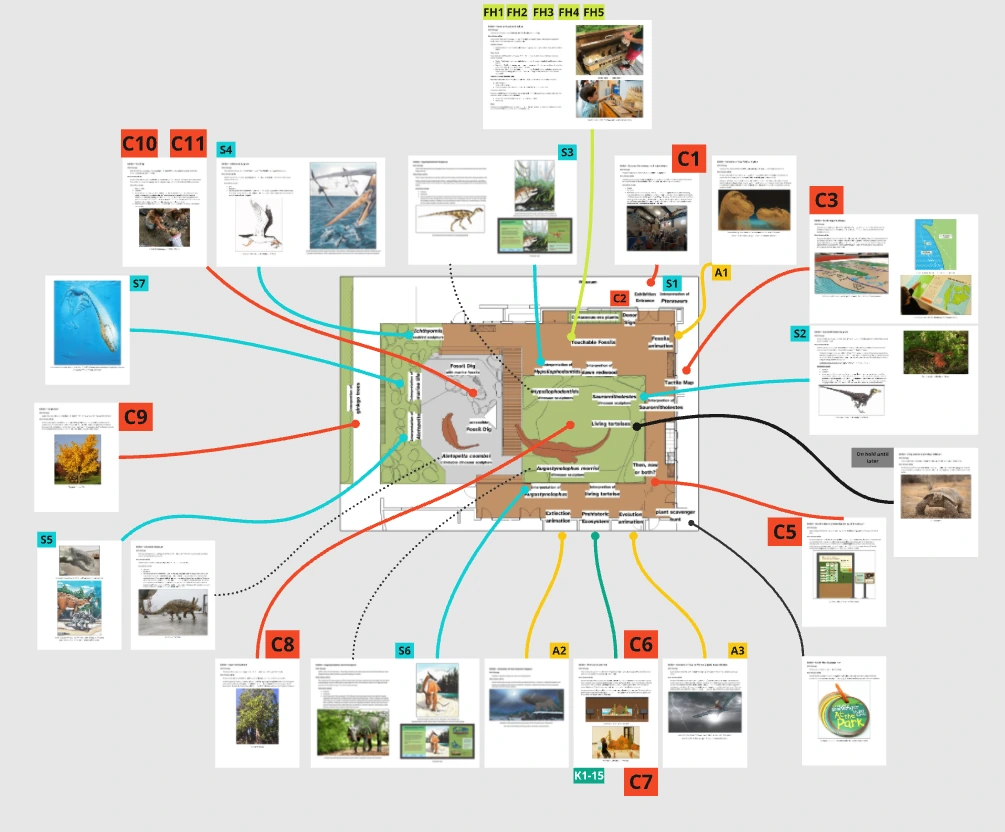
A shared Miro board mapped every sign to its place in the garden, and became where the museum team and I made decisions together.
Every piece in its place
One of my first jobs was writing the scope of work. From there I laid every planned piece over the site plan: custom elements, sculpture signs, animation panels, fossil headers and ID cards, each with a code and a line to where it would stand.
A few templates, many signs
Most signs were template builds, sharing a layout with different content on each. There were several templates, one for each kind of sign, and the sculpture signs added a custom section for a simple interactive or a sculpture. That left custom design time for the pieces that needed it, like the tactile map and the size graphic.
A source of truth for the team
I used the board as my own planning tool, and to walk educators and exhibit staff through the plan. Phases, feedback rounds, and conversations about timing and scope all happened there, so when the scope needed adjusting, everyone was looking at the same picture.
More than one way into every panel
Braille, touch, two languages and audio give children of all abilities, and the adults with them, more than one way into each panel.
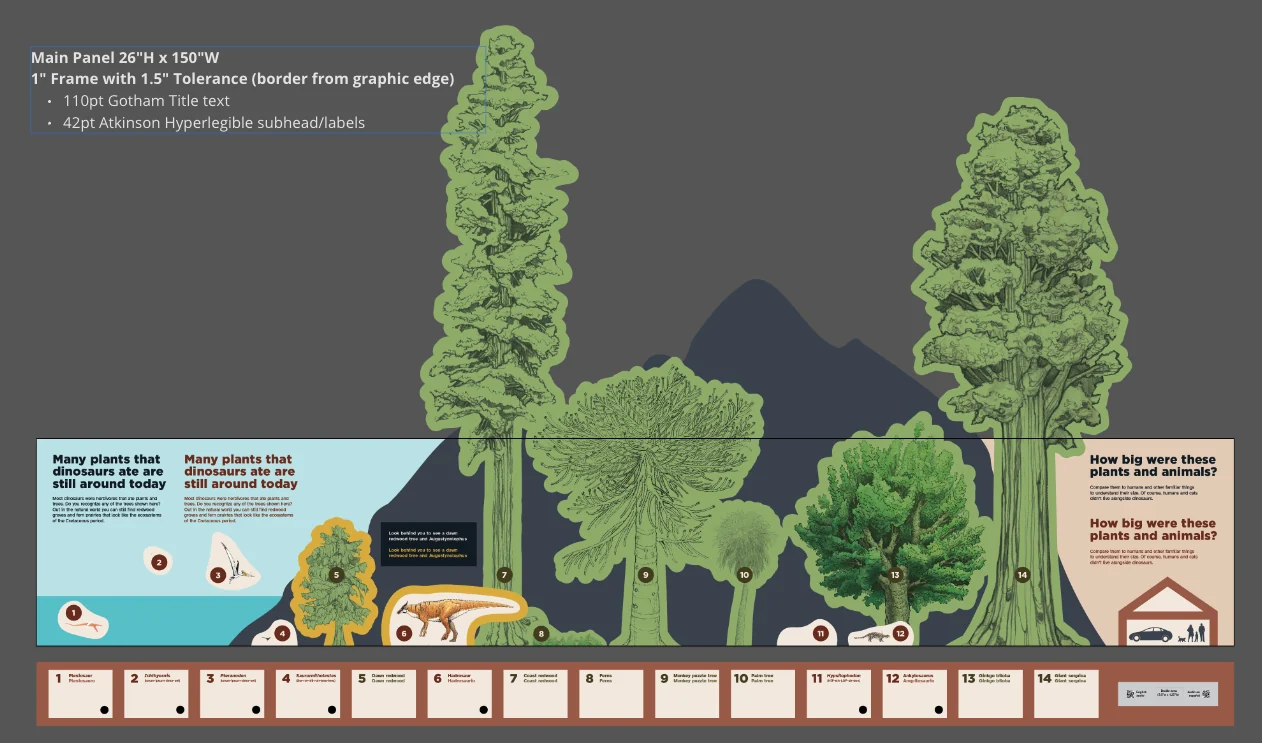
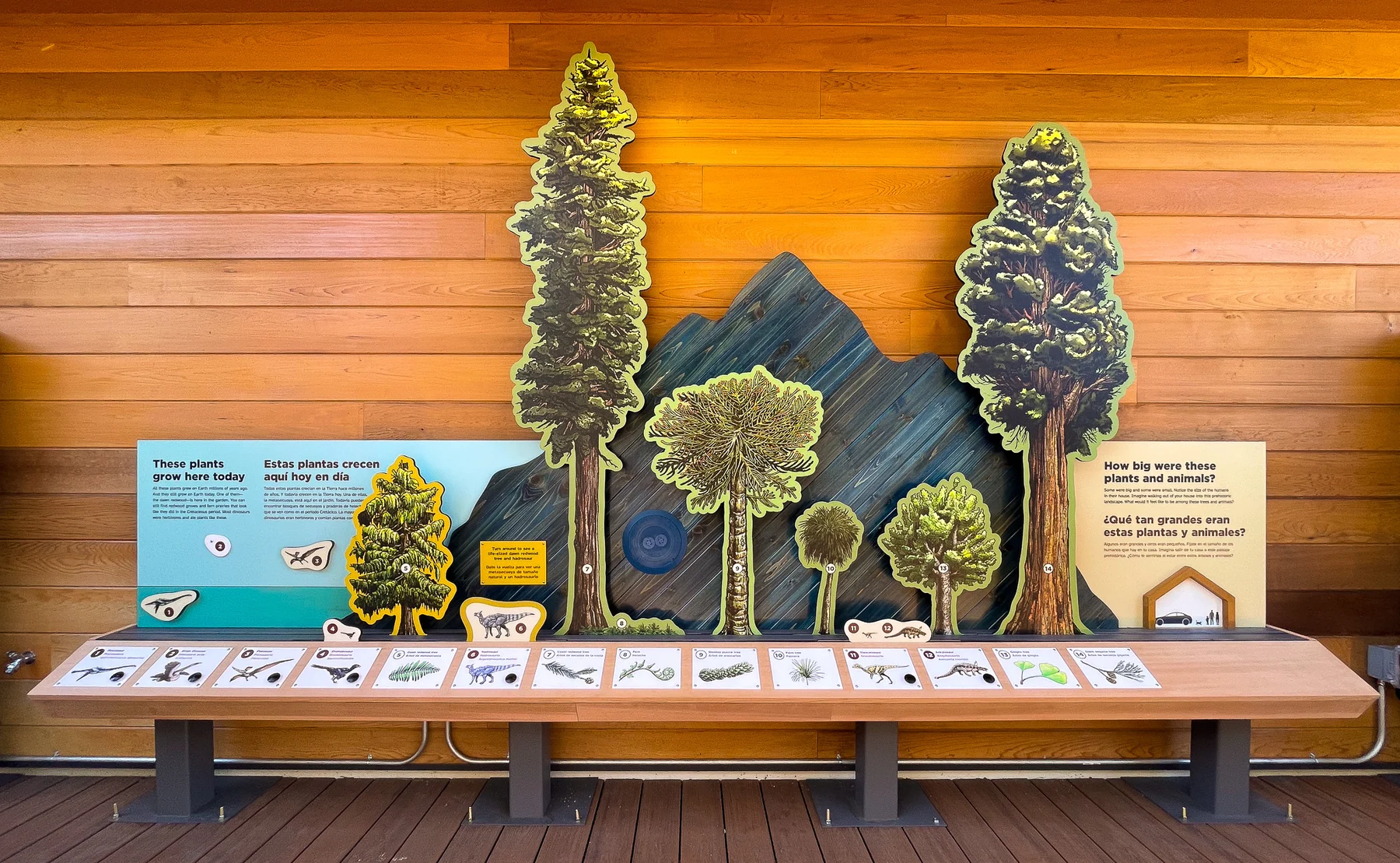
A size graphic children can hear
An interactive information graphic shows the relative sizes of plants and animals from the period, with a person for scale. Buttons along the rail play each animal's name aloud.
The main panel is 26 by 150 inches. Titles are set in Gotham, and subheads and labels in Atkinson Hyperlegible, a typeface designed to be easier to read for people with low vision.
Touch that matches what visitors see
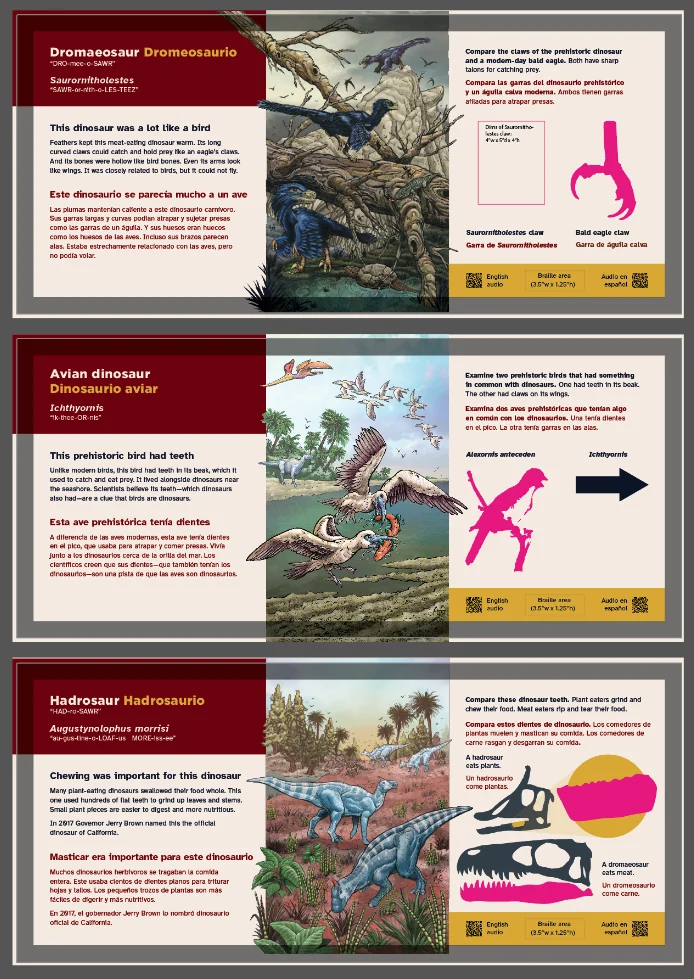
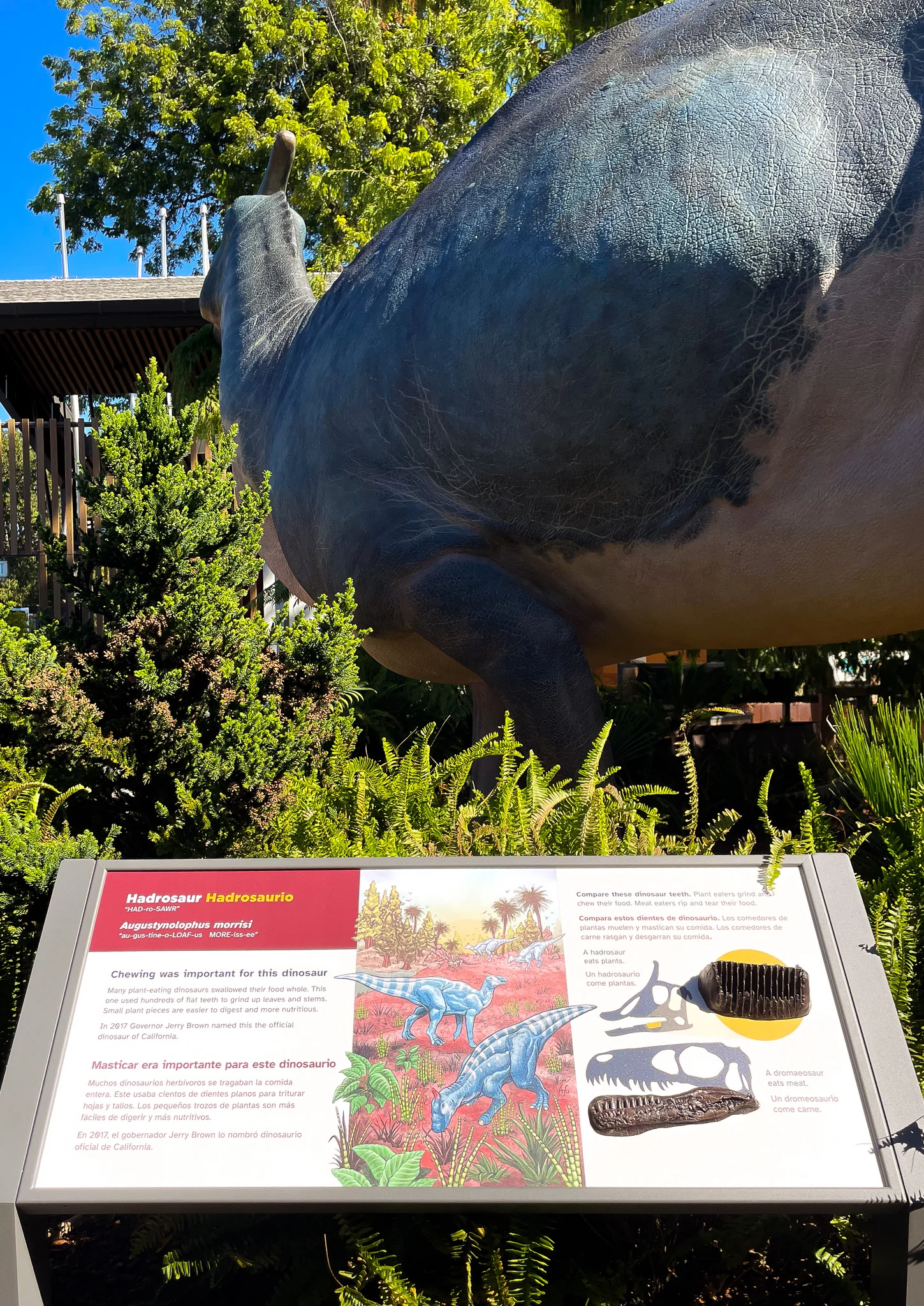
Animal description panels are tactile, and line up with the experience of seeing the life-size sculptures around the garden. Each one pairs bilingual text with a pronunciation guide, a size comparison, and braille and audio indicators.
A map you can read by touch
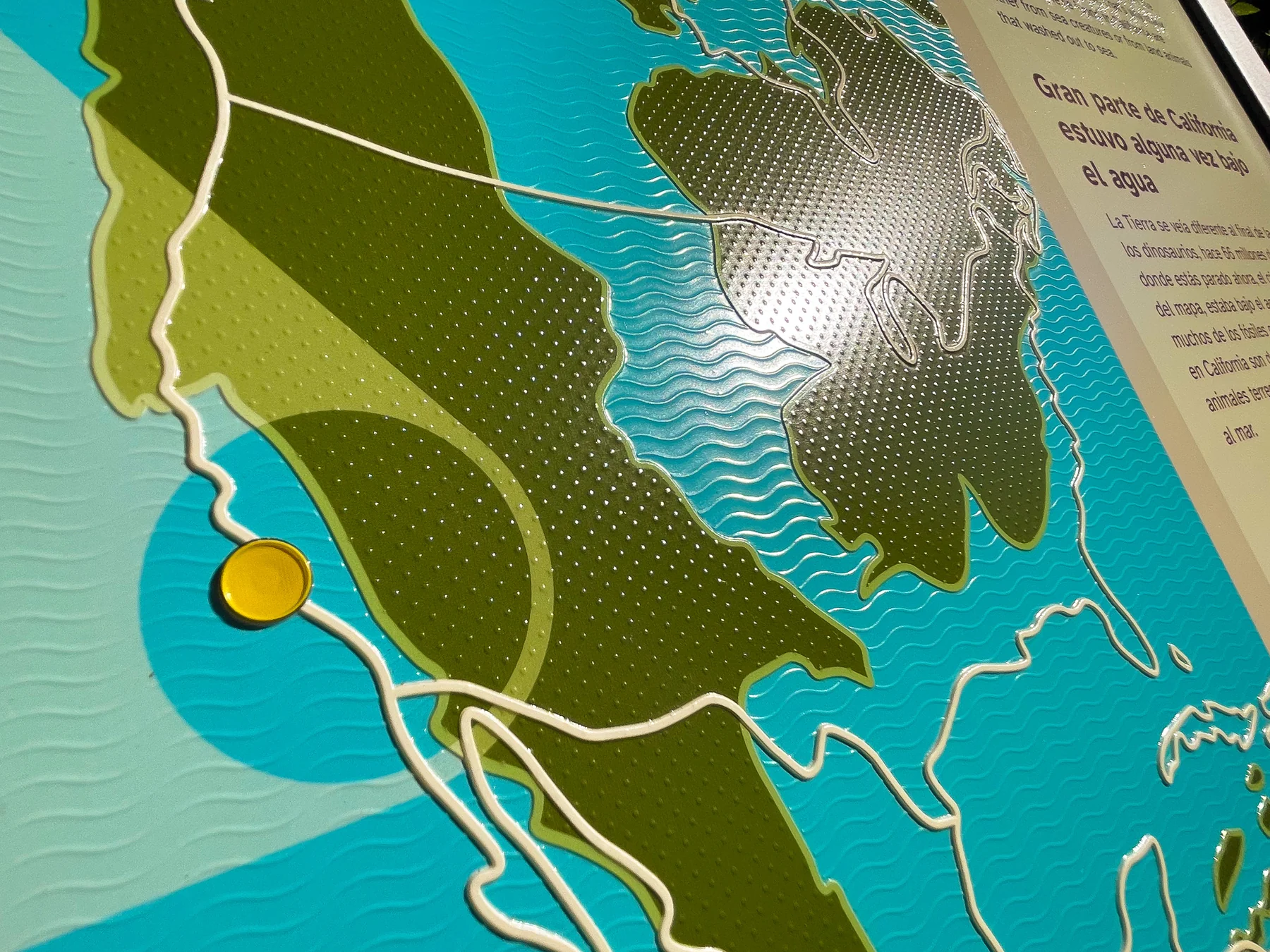
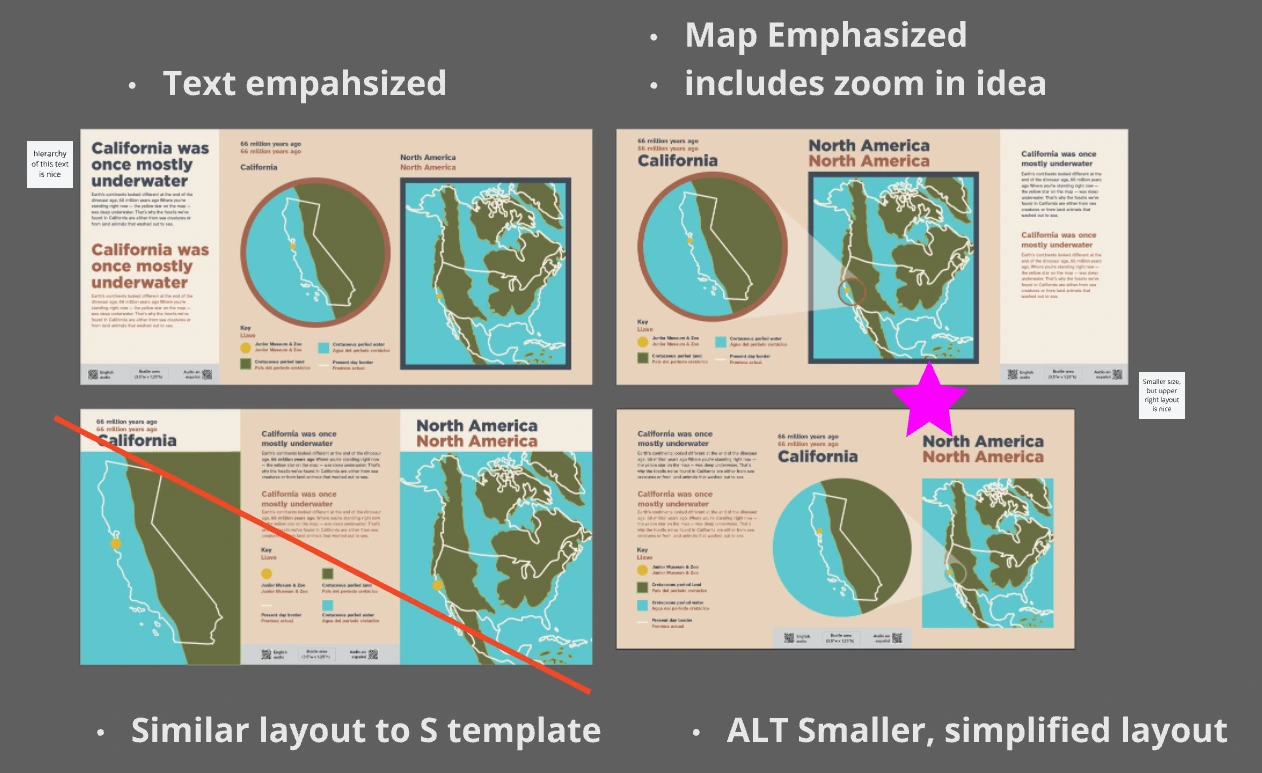
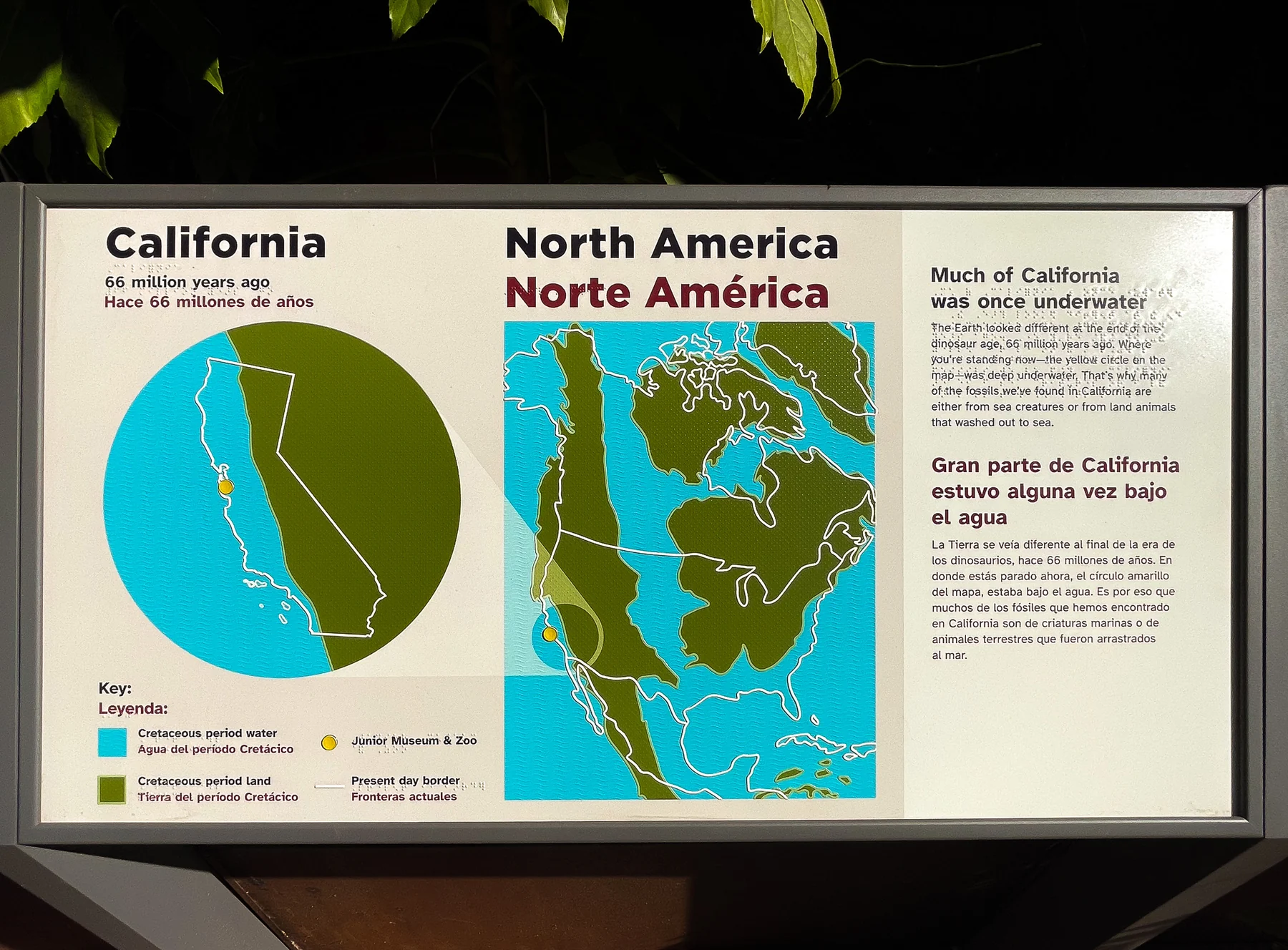
A tactile map of Cretaceous California uses raised color, texture and braille, with patterns that tell land from water, to show how much of the state was once underwater.
I explored four layouts for it. One borrowed the sculpture sign template, and I set that one aside. The final combined the smaller size of one option with the map-emphasized layout of another.
Checked for contrast, coded by language
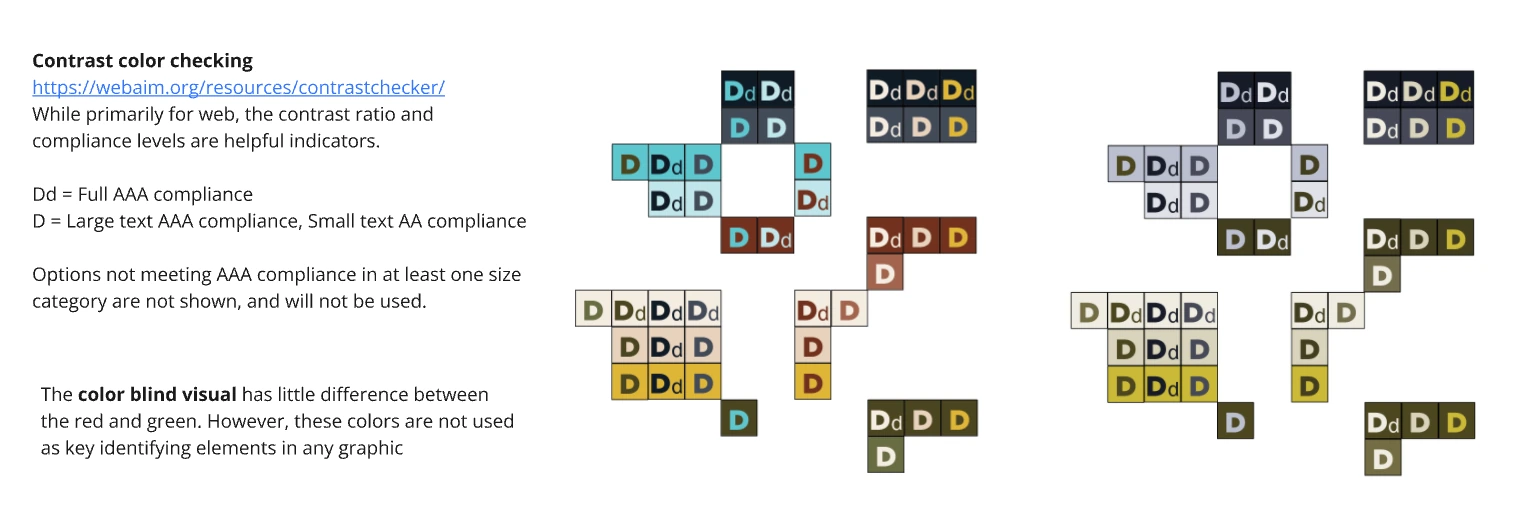
I checked every color pairing with WebAIM's contrast checker. It's built for screens, but its ratios were a useful guide for print. Pairings that didn't reach AAA in at least one size category were dropped. A color-blindness preview showed the red and green looked alike, so neither is used as the only way to identify anything.
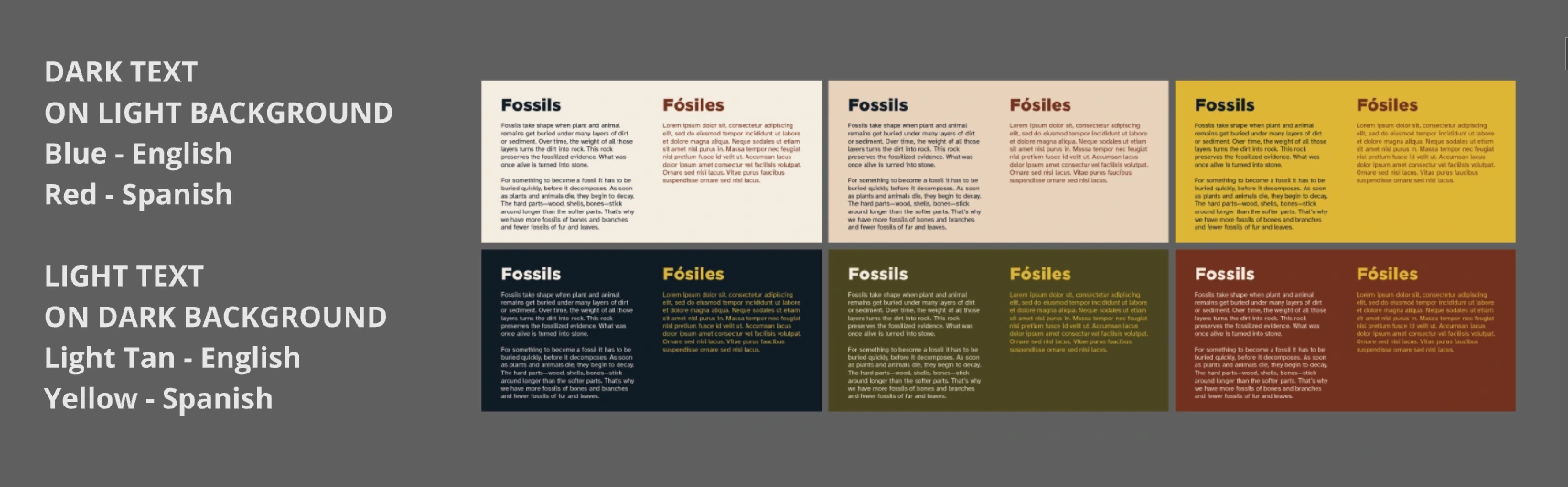
Color also tells the two languages apart. On light backgrounds English is blue and Spanish is red, and on dark backgrounds English is light tan and Spanish is yellow.
One look, from the gate to the marketing
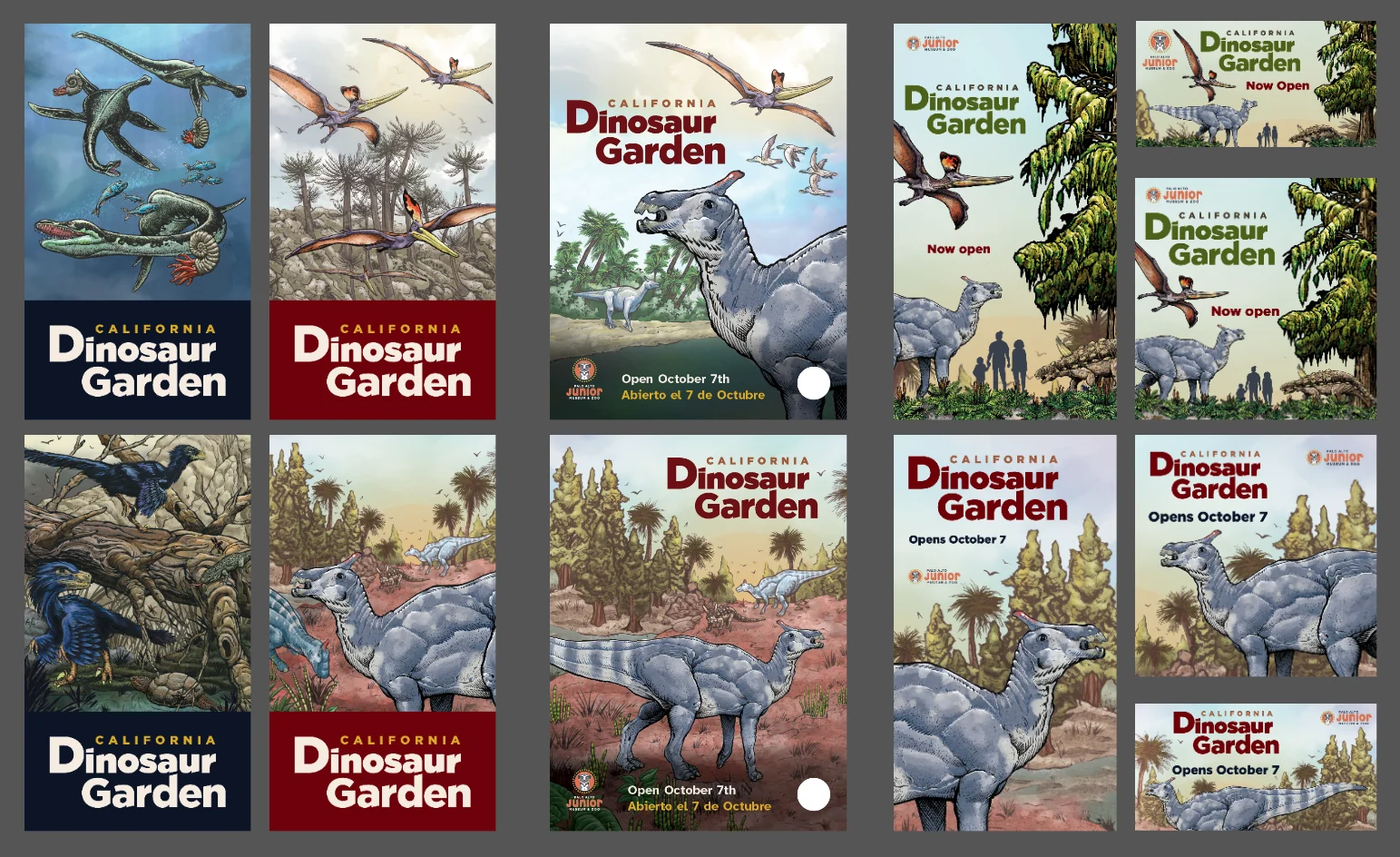
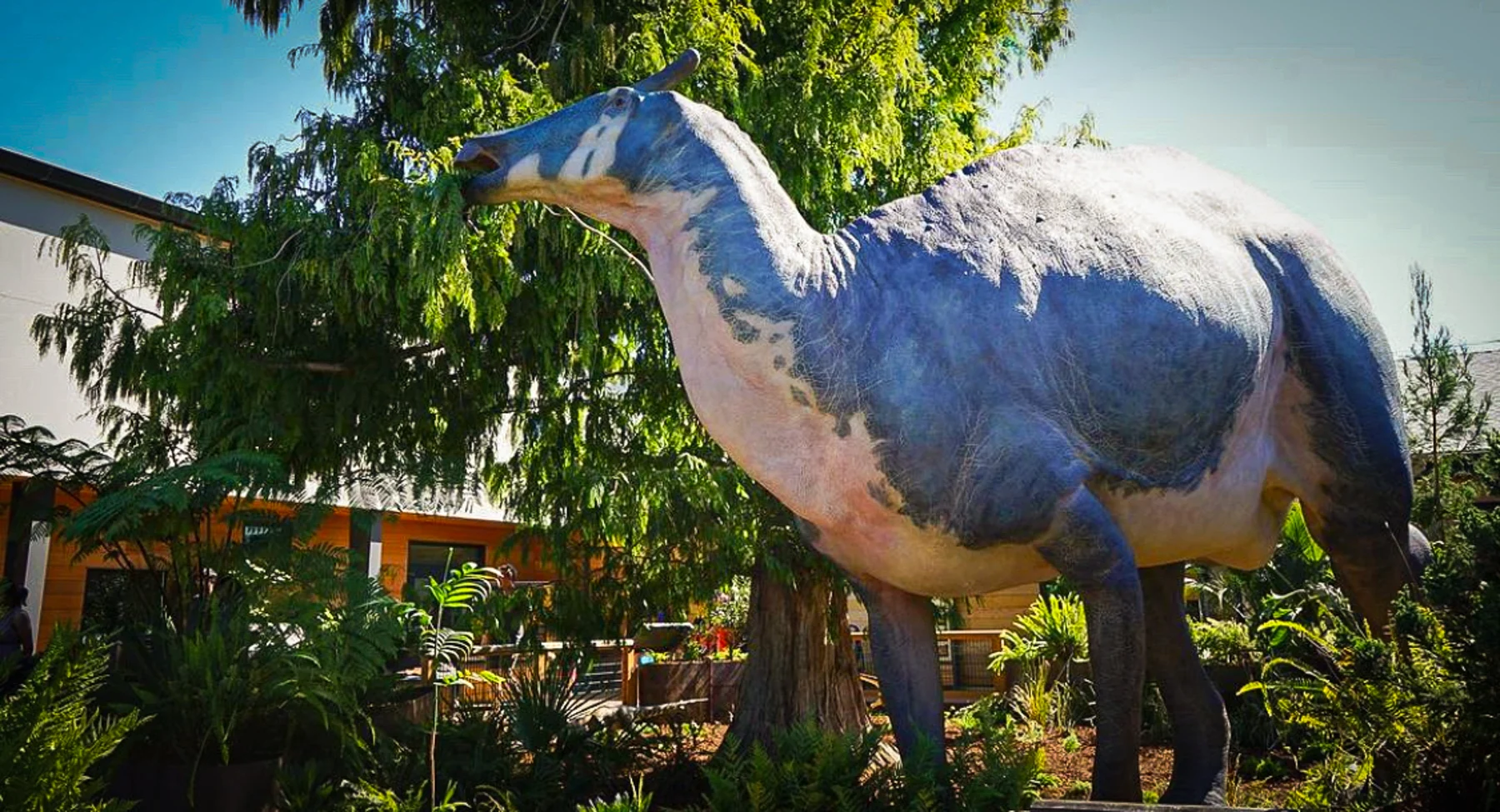
The exhibit and its marketing share the same imagery, color and type, so the visit feels connected to what families saw before they arrived.
One system for every panel
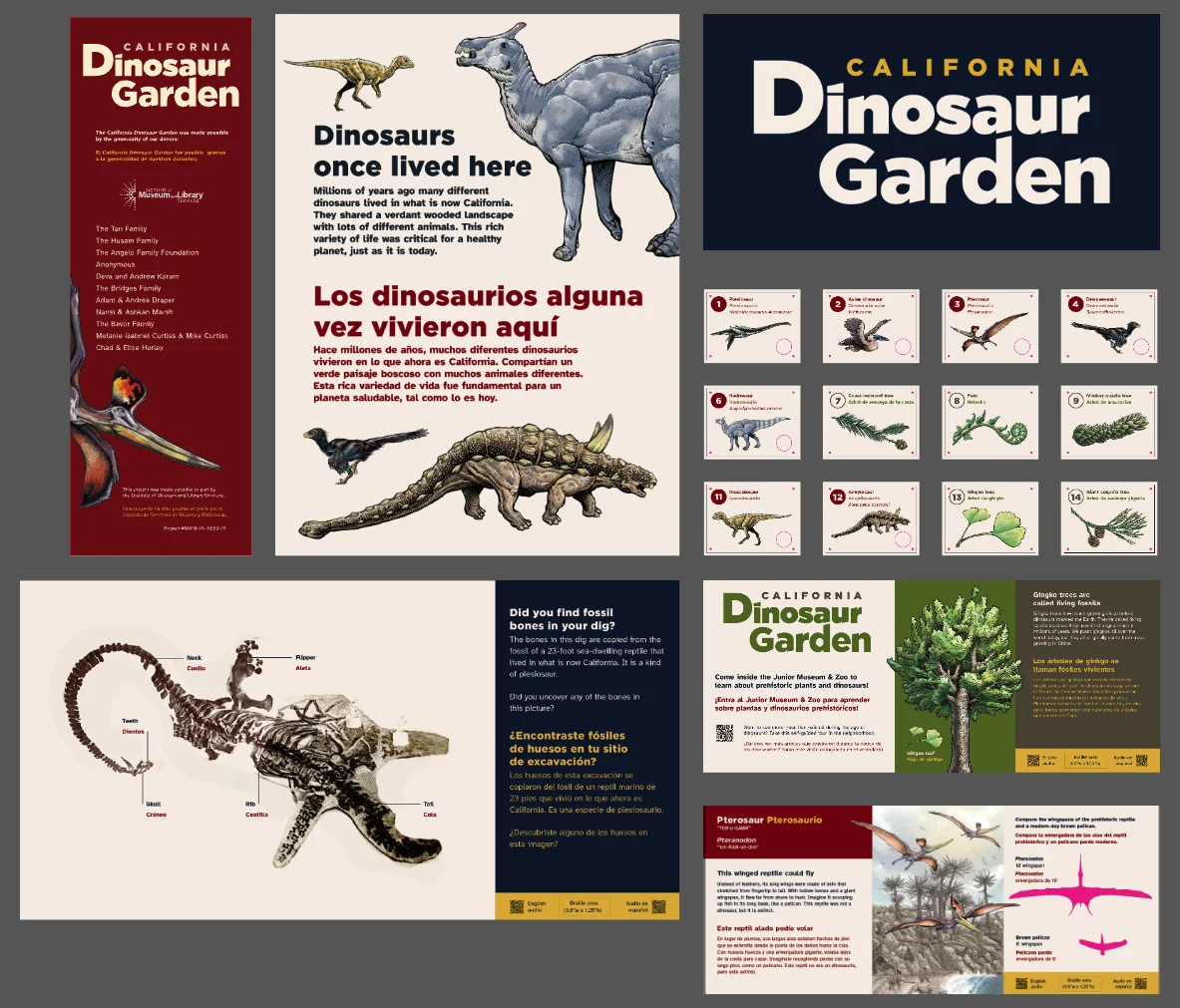
I designed the exhibit's branding and a graphic system that runs through every piece, from the entry and donor panels to the numbered species ID cards and the fossil dig and plant panels. The same illustration and logo carried into the marketing, in two colorways, cropped for square, vertical and banner placements.
Outcome
- Multilingual
- panels, so more families can read along together
- Multisensory
- braille labels, a tactile map, tactile animal panels, and audio for every panel in English and Spanish
- 3
- projects with the museum, from animal ID panels to the garden
- User‑informed
- design, shaped with educators, plus informal feedback from visitors
For visitors
Children of all abilities, and the parents, grandparents and caregivers with them, can see, touch or listen to every panel.
For educators
Messaging shaped with them, and panels that give them something to build a conversation around.
For the museum
New interactive panels with a range of accessibility features, and a cohesive identity across the exhibit and its marketing.
Learnings and next steps
About audiences
Communicating across age groups takes layered, multisensory design. A panel that works for a five-year-old and their grandparent usually has more than one way in.
About physical space
Designing for a physical space showed me how much typography, placement and interaction affect understanding, and how much they add to a visitor's enjoyment.
What's next. This project showed me how much a system can do for accessibility. When contrast-checked colors, a highly legible typeface and color-coded languages are built into the templates, every new sign starts from an accessible base. Placement, viewing distance and materials still need checking for each one, but the basics no longer have to be solved sign by sign. It also taught me a lot about leading a project from the first scope of work to the finished exhibit, coming in from outside the museum and aligning quickly with the team's goals. Pairing systems with accessibility is how I now approach my work on screens too, from Stanford's faculty templates to the color guidelines for Media and Design.