Stanford Graduate School of Business
A shared website system for more than 50 faculty, and the Hub's own site, designed so faculty and staff can keep their work up to date on their own.
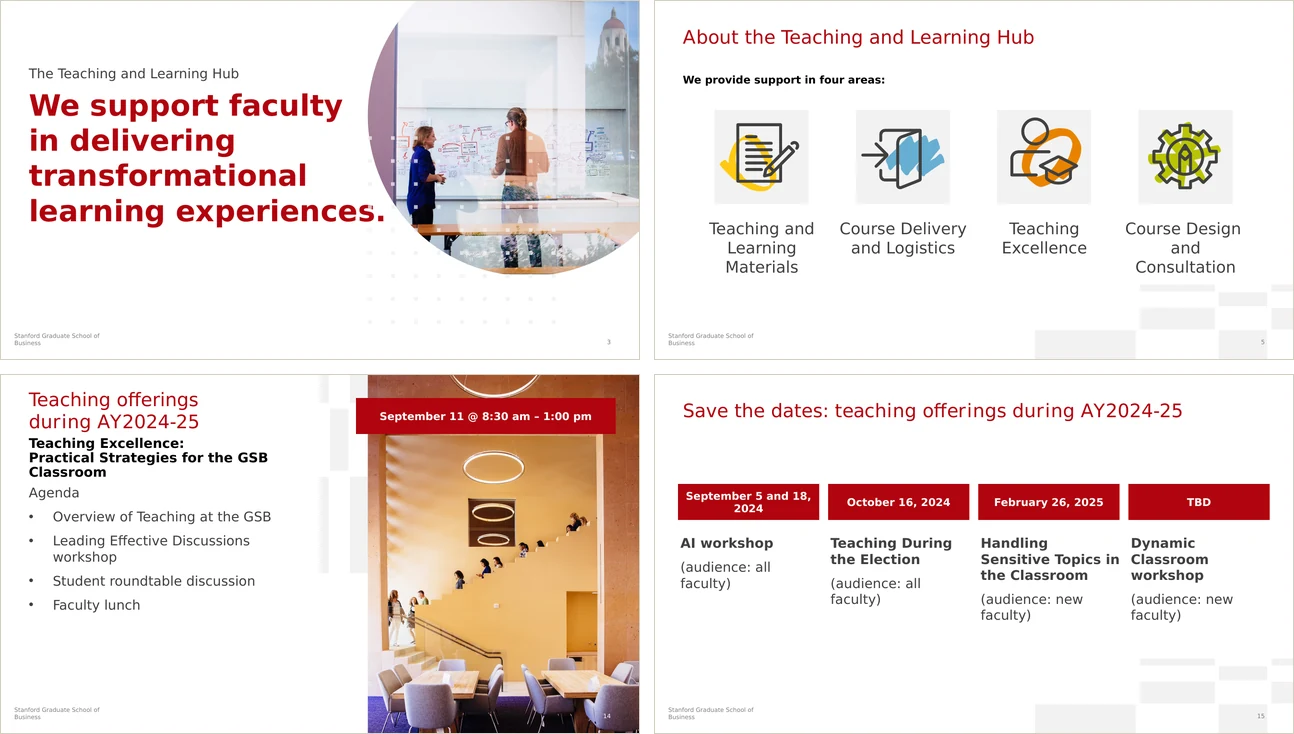
The Teaching and Learning Hub supports faculty and academic teams across Stanford GSB, and I lead UX and systems work there. Most of my time has gone into the faculty websites, which meant auditing more than 50 of them, designing a shared template system and moving every site onto it. I also redesigned the Hub's own site and make some of the media faculty use in the classroom.
Every faculty member's work is different, and most of them look after their own sites. So each system had to feel like the GSB while still leaving room for individual voices, and for tools people already knew. A few things pulled against each other:
- IndividualEvery site and deck belongs to one faculty member.
- InstitutionalThe work still needs to feel like the GSB.
- Self-maintainedFaculty update things themselves, with familiar tools.
- AccessibleTeaching materials have to work for every student.
One template system for 50+ very different sites
Once I'd sorted the sites into five patterns, it was clear we didn't need fifty separate redesigns. One template system could handle all of them.
- 50+
- faculty websites on
one template system - 5
- site patterns found
in the audit - 20,000+
- people a year view content
I led accessibility work on - 4+ yrs
- designing for the
Teaching and Learning Hub
The work
It started as a migration and turned into a system. The faculty websites are most of the story, and the Hub's own site and the teaching materials followed from the same idea.
Faculty websites, on one adaptable system
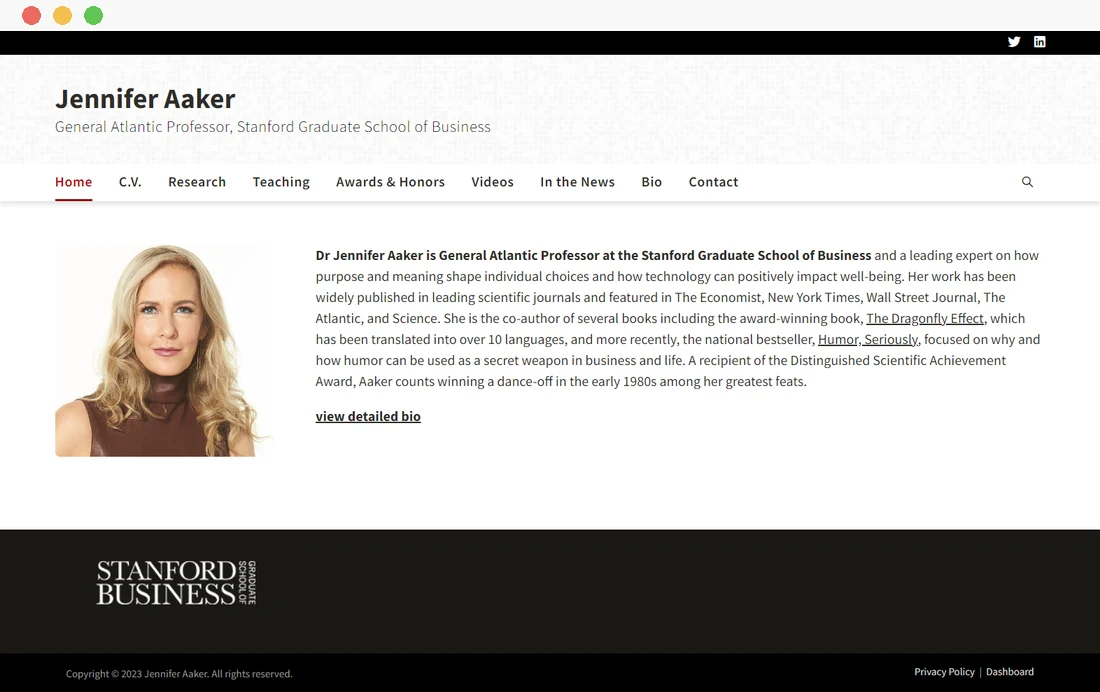
More than 50 faculty sites had to move off a WordPress host that was being retired. Auditing them first showed five shared patterns, which meant one Stanford-branded template could carry all of them.
What the audit showed
The sites had been built over many years, and they varied a lot in structure, content, visual quality and technical complexity. I grouped them by content type, complexity and homepage structure. Most needed the same core pieces, like a biography, research, publications and teaching materials, so we didn't have to treat each one as its own redesign.
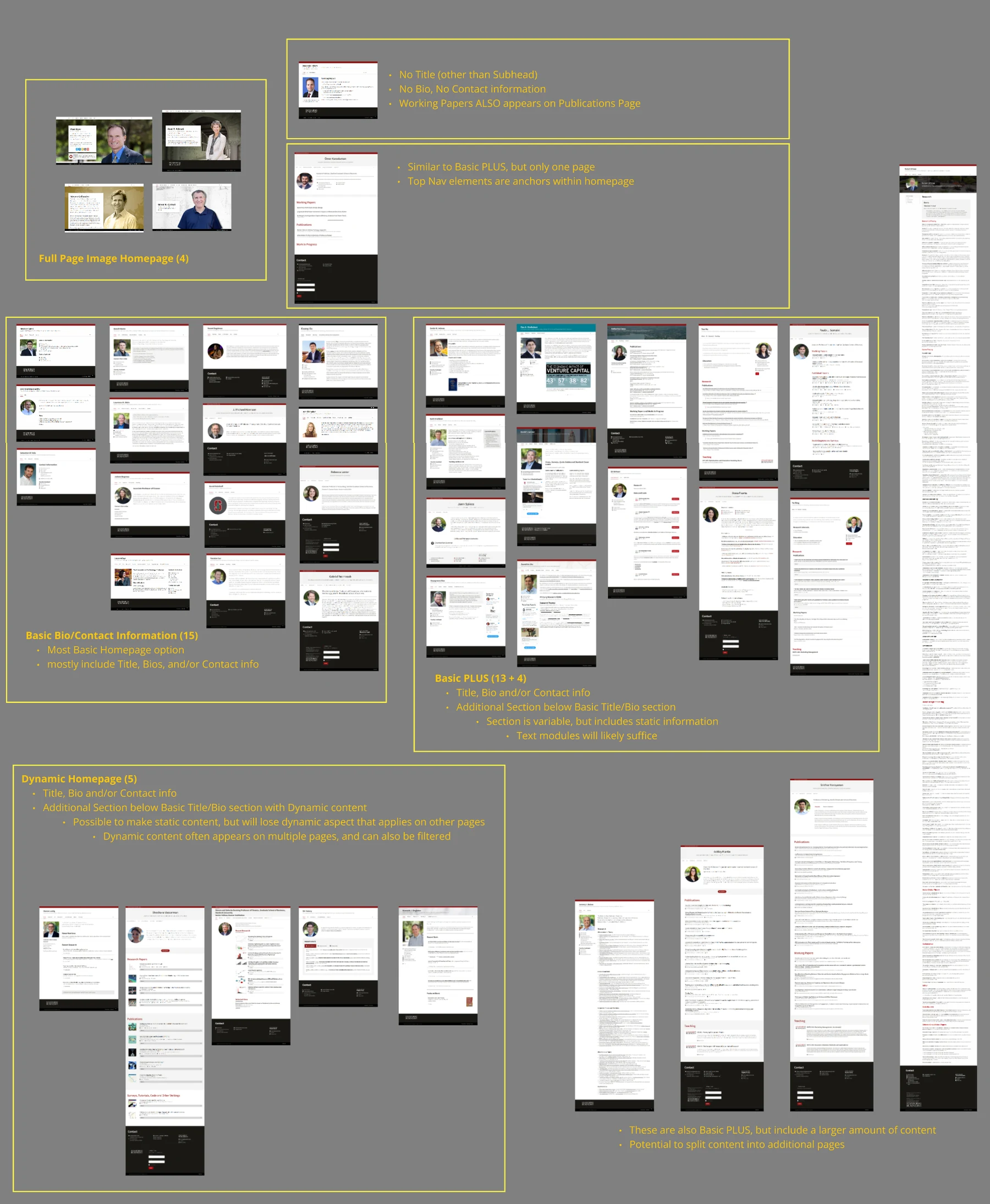
One template, adapted to each site
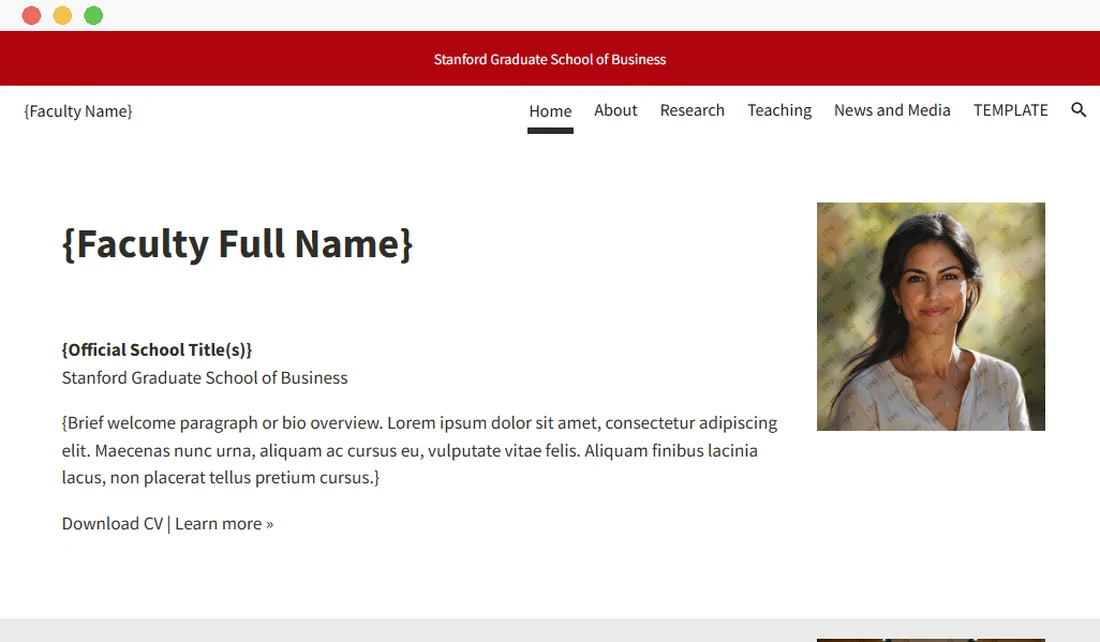
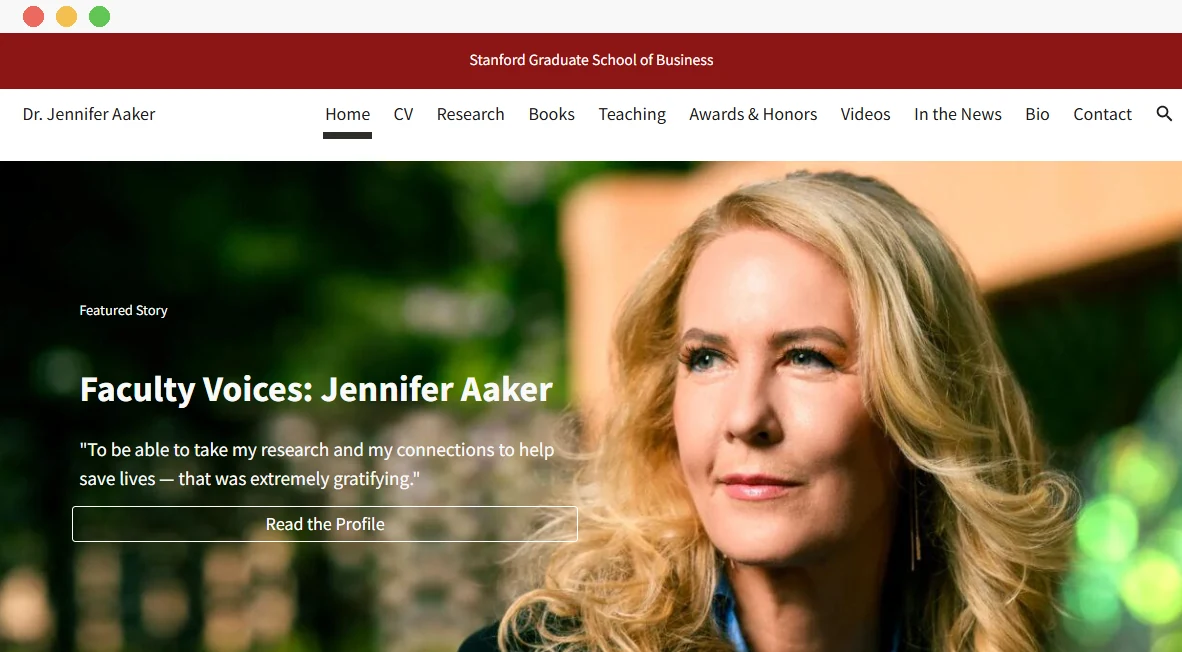
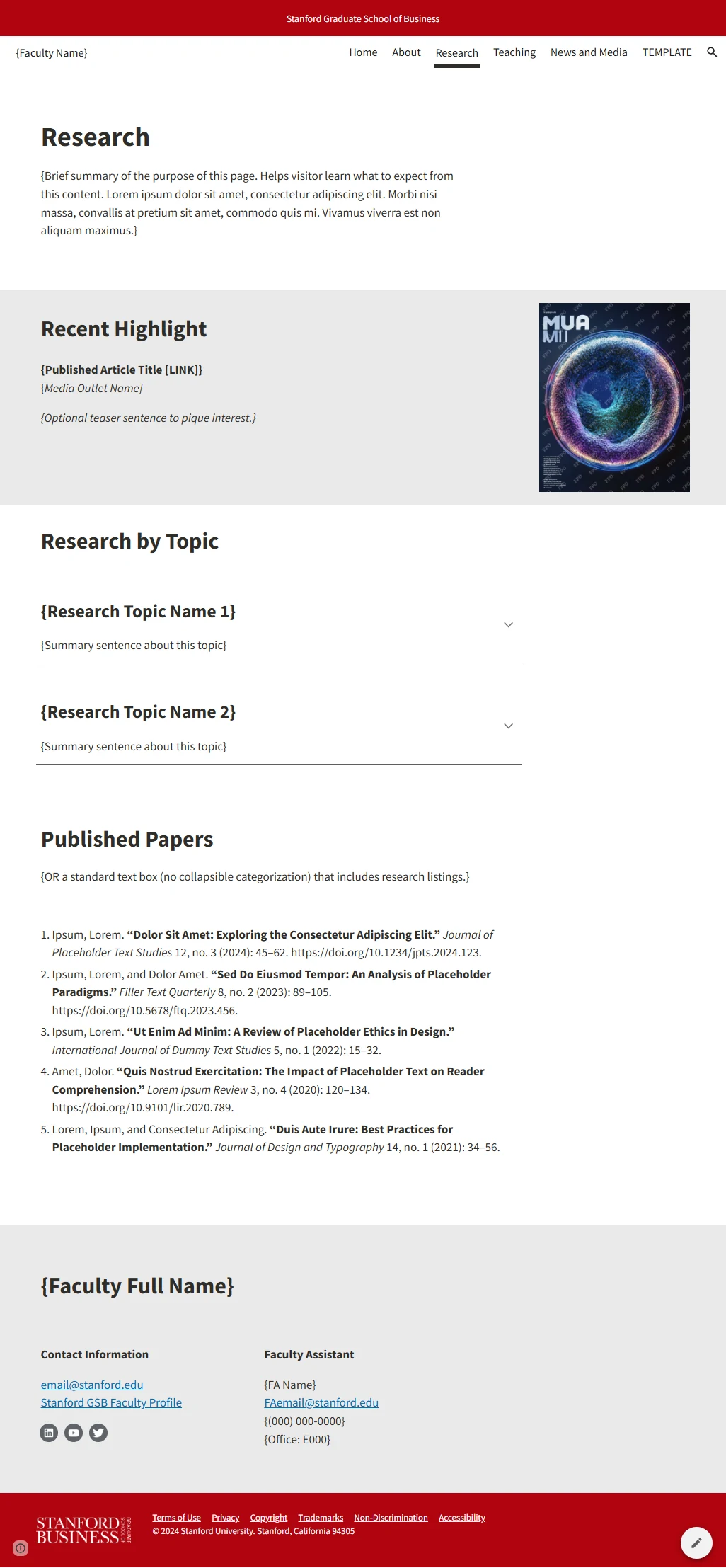
I designed reusable page structures for the shared content, with a clear hierarchy, accessible formatting and flexible modules, in Google Sites, an editor faculty and staff already knew. The aim was a site that clearly reads as the GSB, but still feels like it belongs to the person it's about.
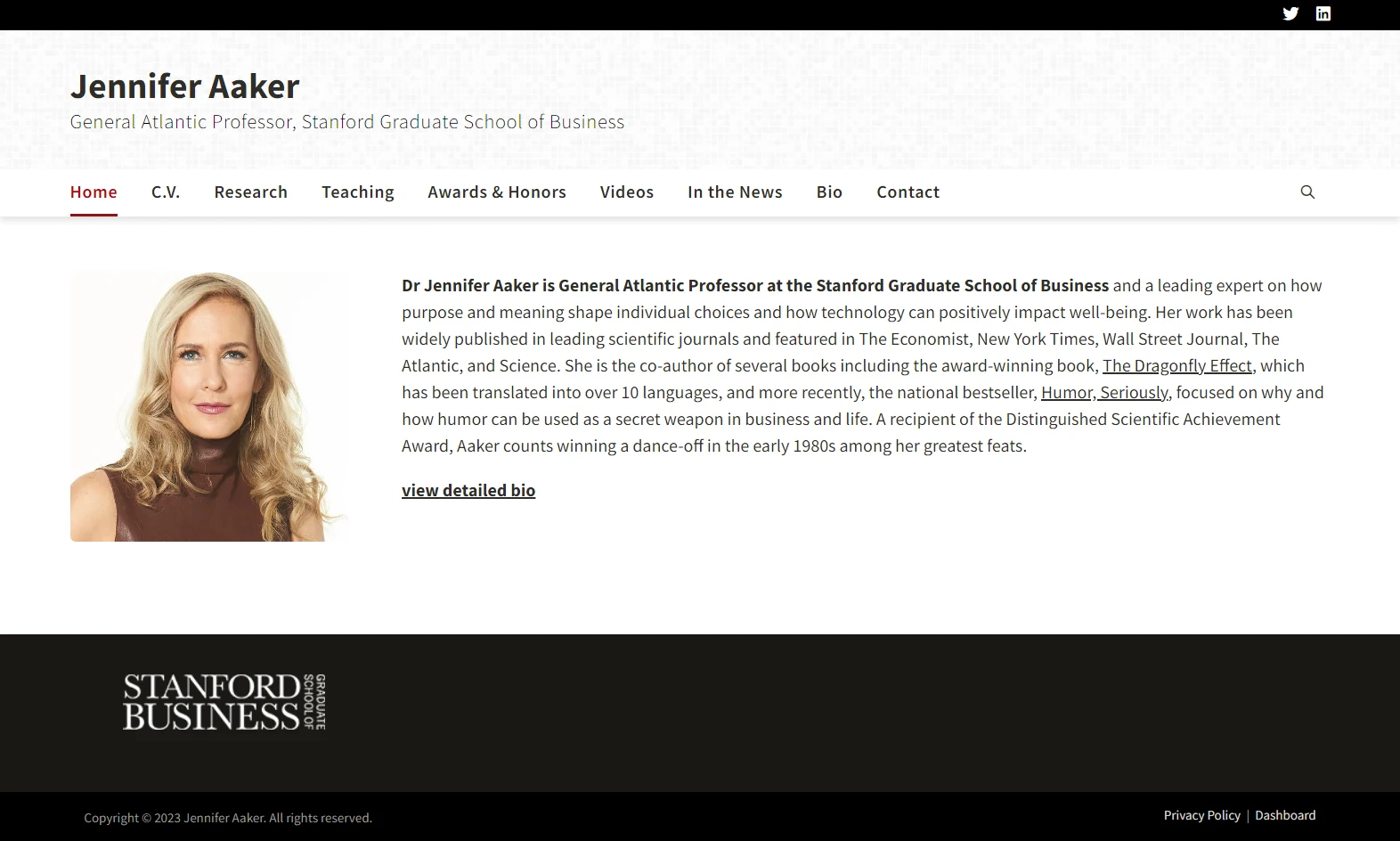
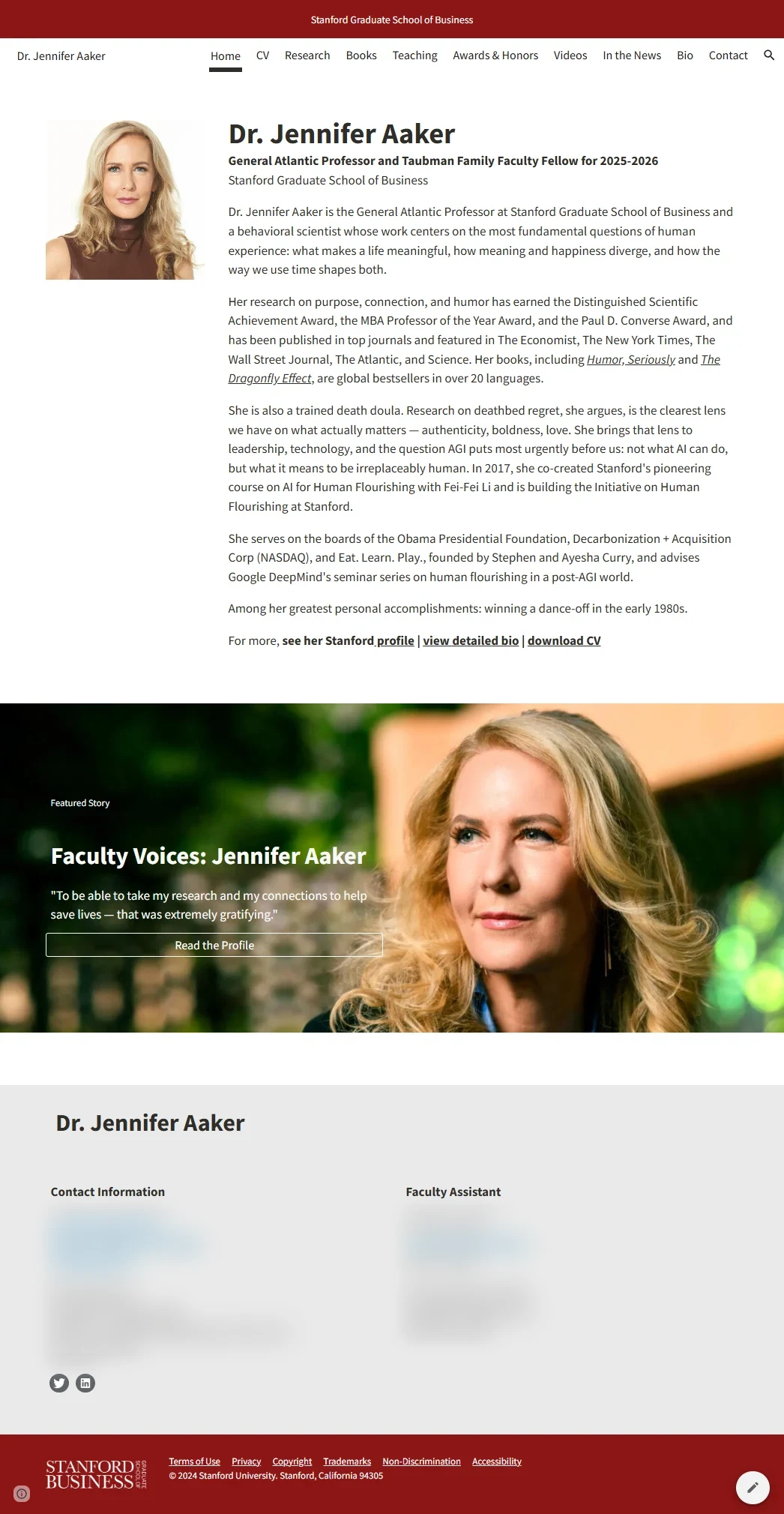
Pages that flex with the content
The same homepage structure works for a short profile or a busy research group, and research pages scale from a short list to a full library.
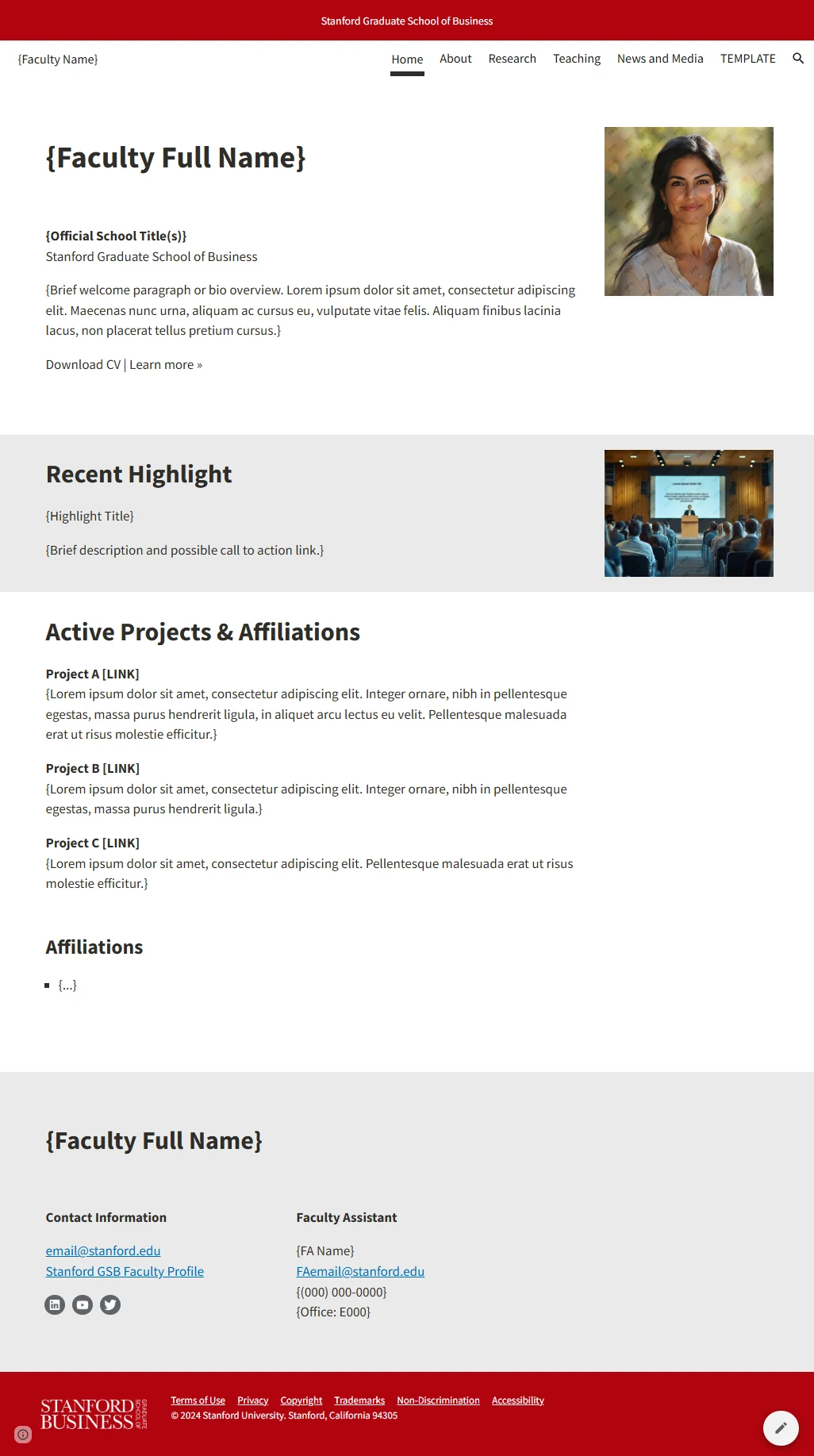
A repeatable path, and a way to see it
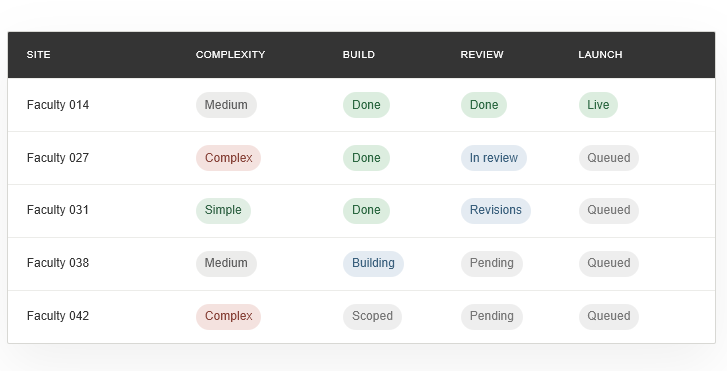
Every site went through the same process, adjusted for specialized content, old direct links or complicated research structures. A central tracker kept status, outreach, content sources, redirects and open faculty decisions in one place, which helped a lot with so many faculty and stakeholders involved.
- 01AuditSort the site by content and structure.
- 02BuildMove its content into the shared template.
- 03Internal QACheck the build before faculty see it.
- 04Faculty reviewThe faculty member reviews the new site.
- 05ReviseMake the changes from that review.
- 06PublishLaunch the site on Google Sites.
- 07RedirectPoint old links to the new pages.
Old links that still had to work
- What I sawIn a review, a faculty member asked what would happen to their old links. Many people had bookmarked specific research pages, and they didn't want those people to lose them. Many of those links pointed straight to files in WordPress's media library, which wouldn't survive the move.
- What I changedWe set up one-to-one redirects wherever we could. Where an automatic match wasn't possible, as with many media files, a fallback sends the old link to the faculty member's new homepage.
- ResultOld links don't end in a 404. Where there's a match, they go straight to the new page. Otherwise, visitors land on the right faculty site, where they can find the paper or file they were looking for.
Updates faculty make themselves
- What I sawFaculty could already edit their WordPress sites, but even small updates meant logging in and replacing a media file. Swapping in a new CV was more effort than most wanted to spend, so they sent a request instead.
- What I changedOn Google Sites, files like a CV link to a file in Google Drive, so updating one is as simple as replacing that file. Faculty already work in Google every day, so the whole site feels familiar.
- ResultRequests for small updates went from several a week, enough that we had to batch them to protect our day-to-day work, to a few a month that we can handle as they come in. When one does, we show the faculty member how to make that kind of change, so they can do it themselves next time. Google's version history shows faculty editing their own sites and files, and lets us restore an earlier version if someone needs help undoing a change.
A clearer home for teaching resources
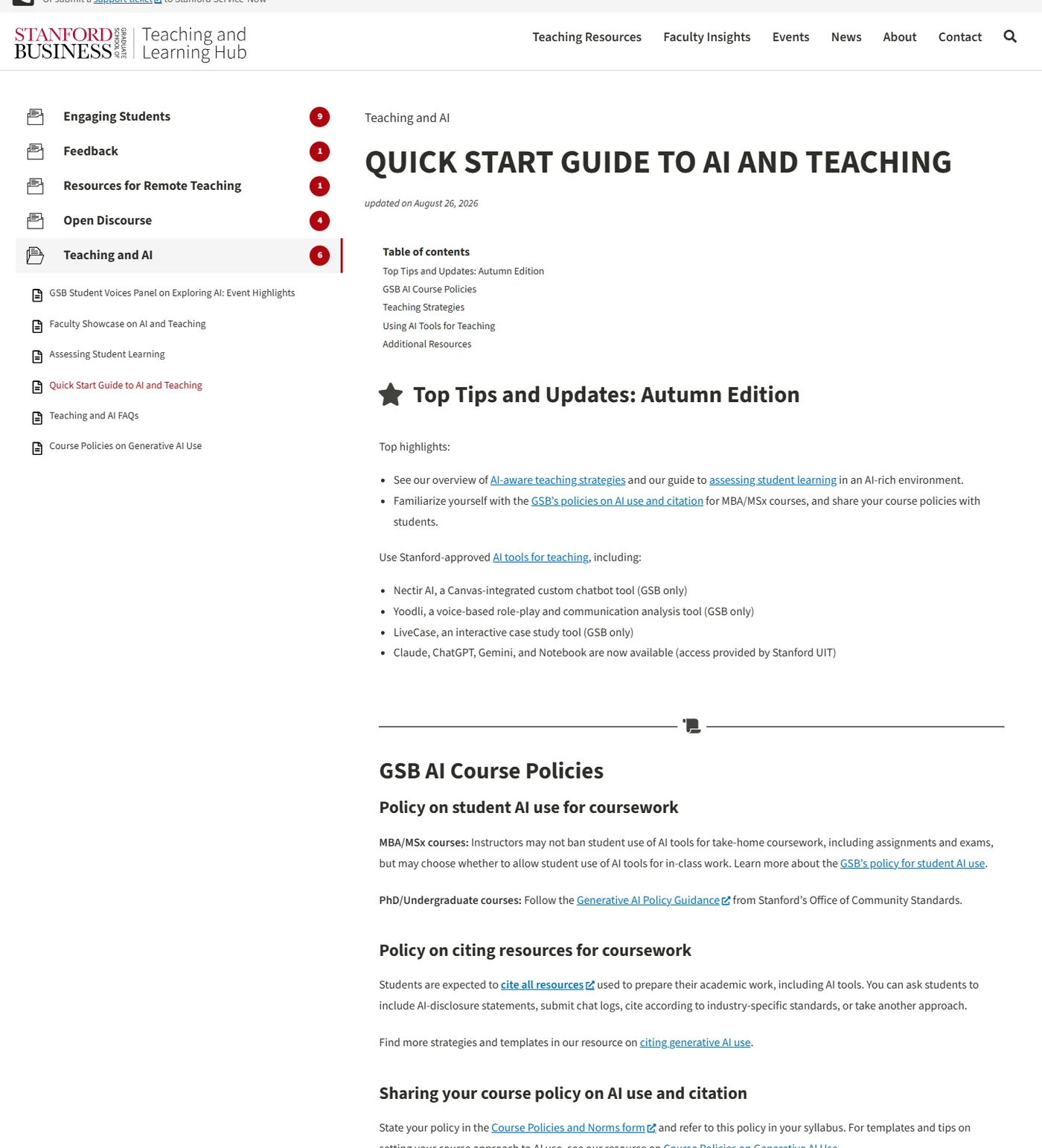
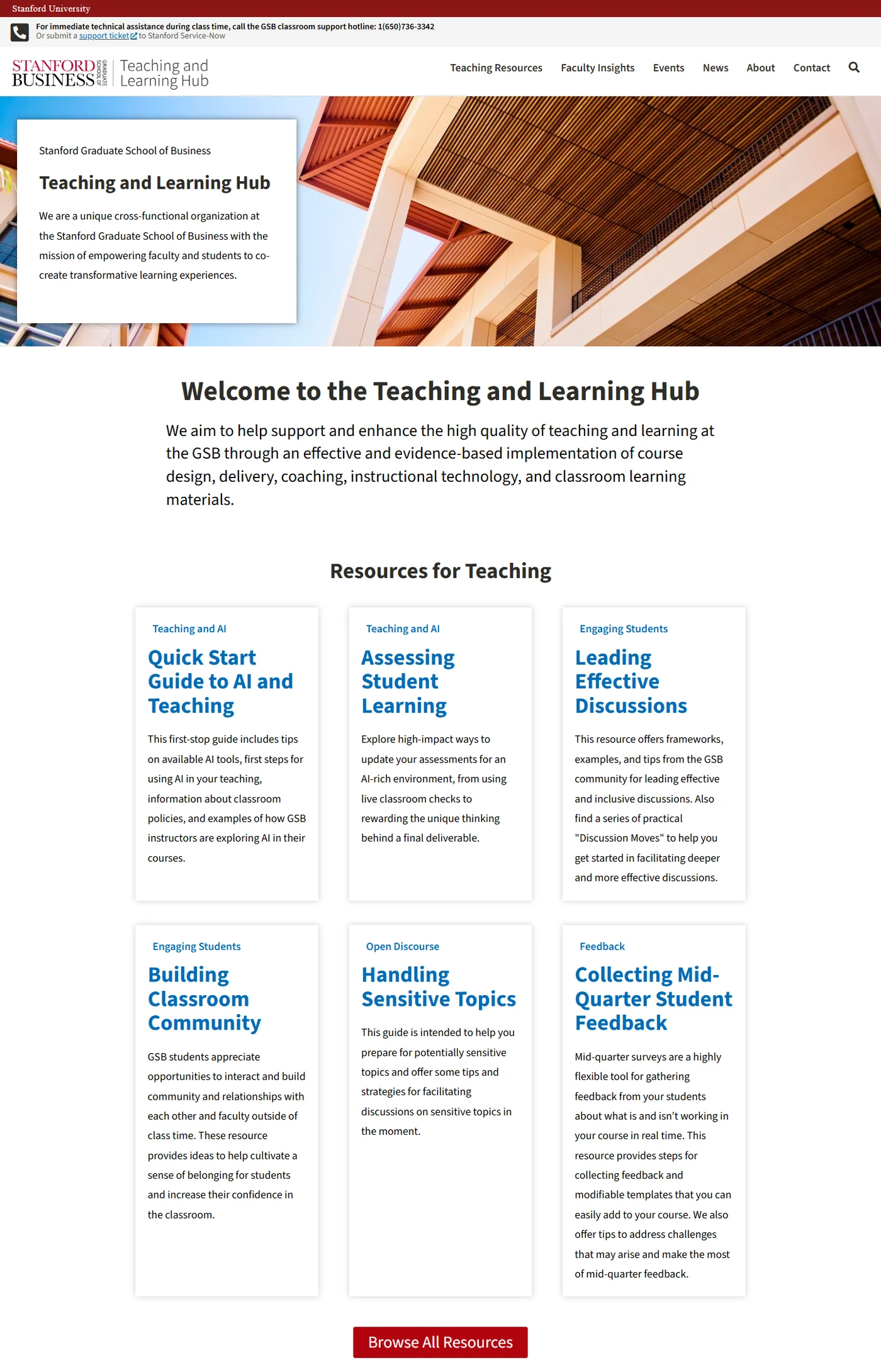
I reorganized the Teaching and Learning Hub's website around the people who use it, gave every resource page the same structure, built it in WordPress, and documented the rules so it stays consistent.
Several ways of doing the same thing
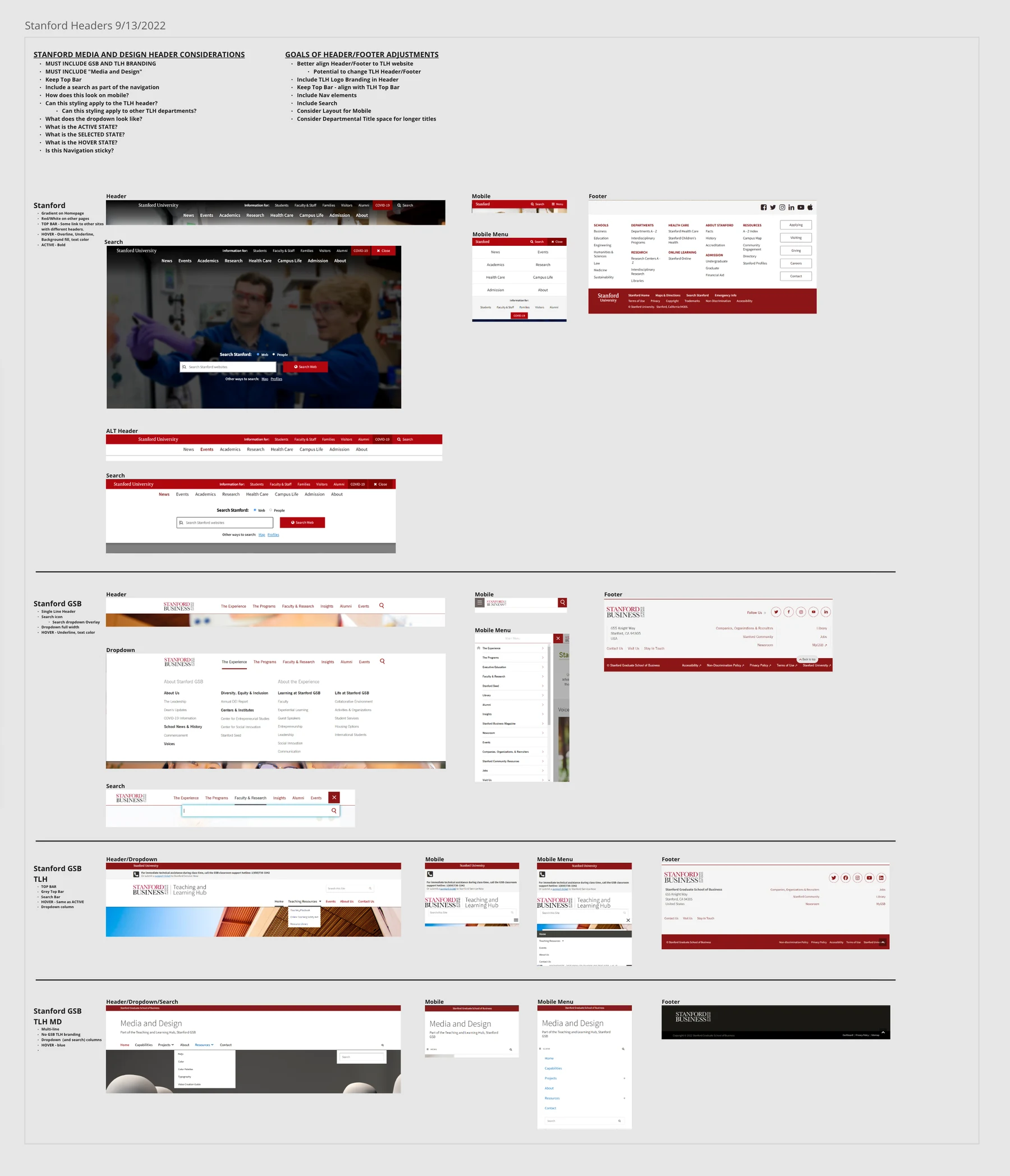
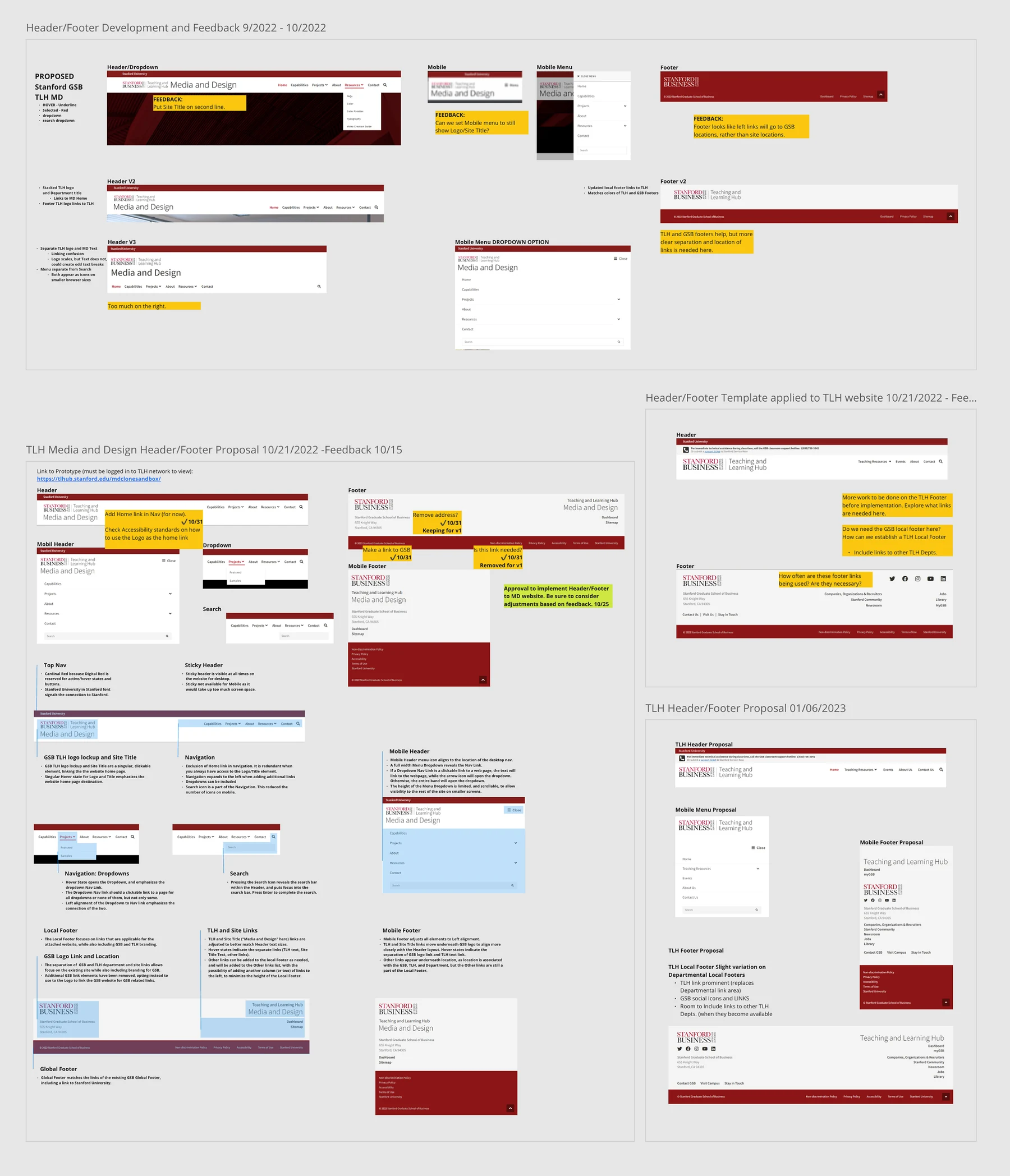
An audit of the existing headers and components found several versions of the same pattern. Footers looked different from site to site, and search sat in different places and worked differently. On phones, menus and footers behaved differently across the Stanford, GSB and Hub websites. I aligned the Hub's site with the GSB website first, and with Stanford's branding where I could, while keeping it simple for faculty and staff to use.
One structure for every resource
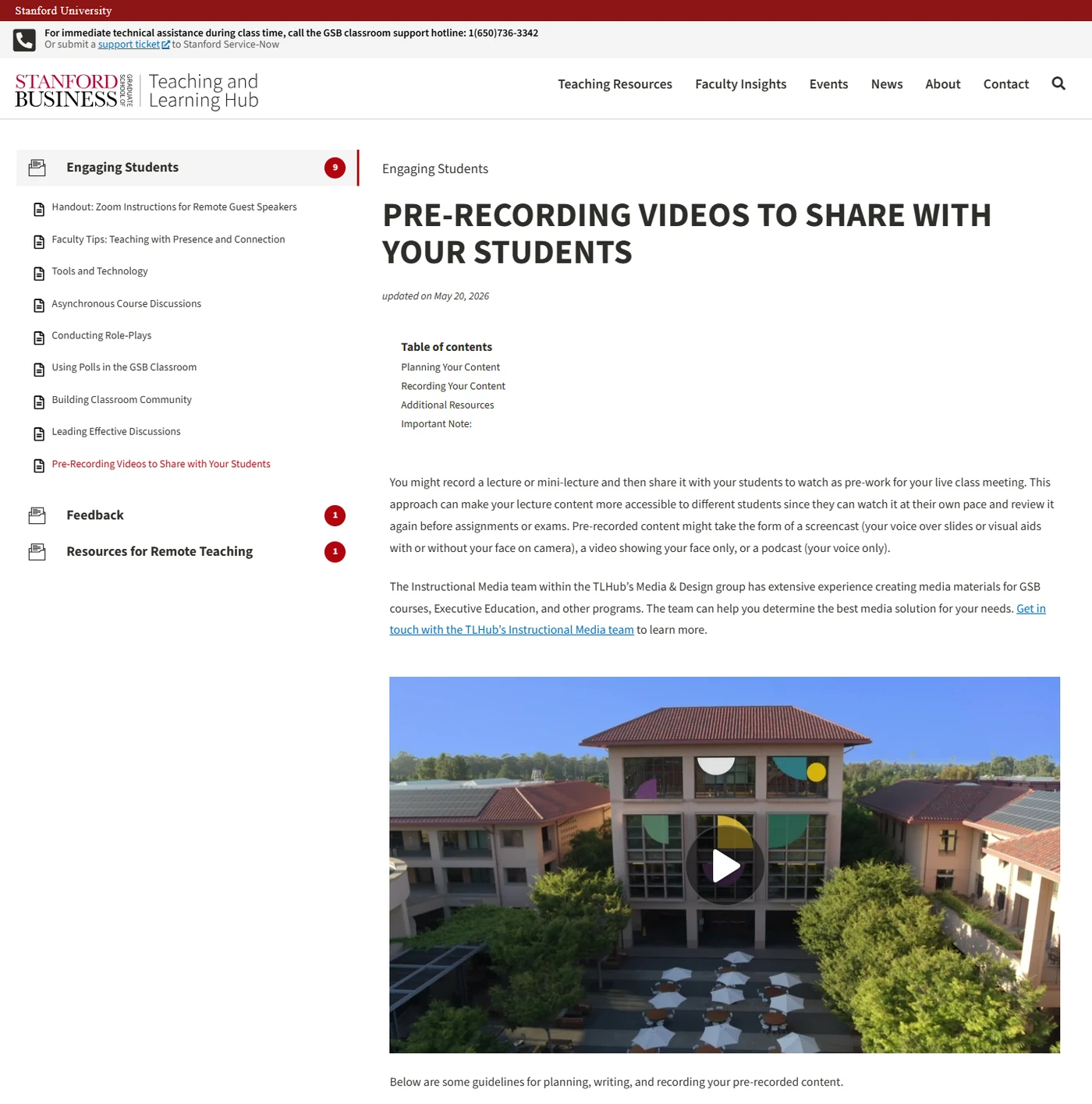
I restructured the site around its main audiences, with resources grouped by topic. Every resource page now shares the same frame, with a topic sidebar, a table of contents and consistent headings, so a faculty member who has used one guide already knows how to read the next.
A design guide, so it stays that way
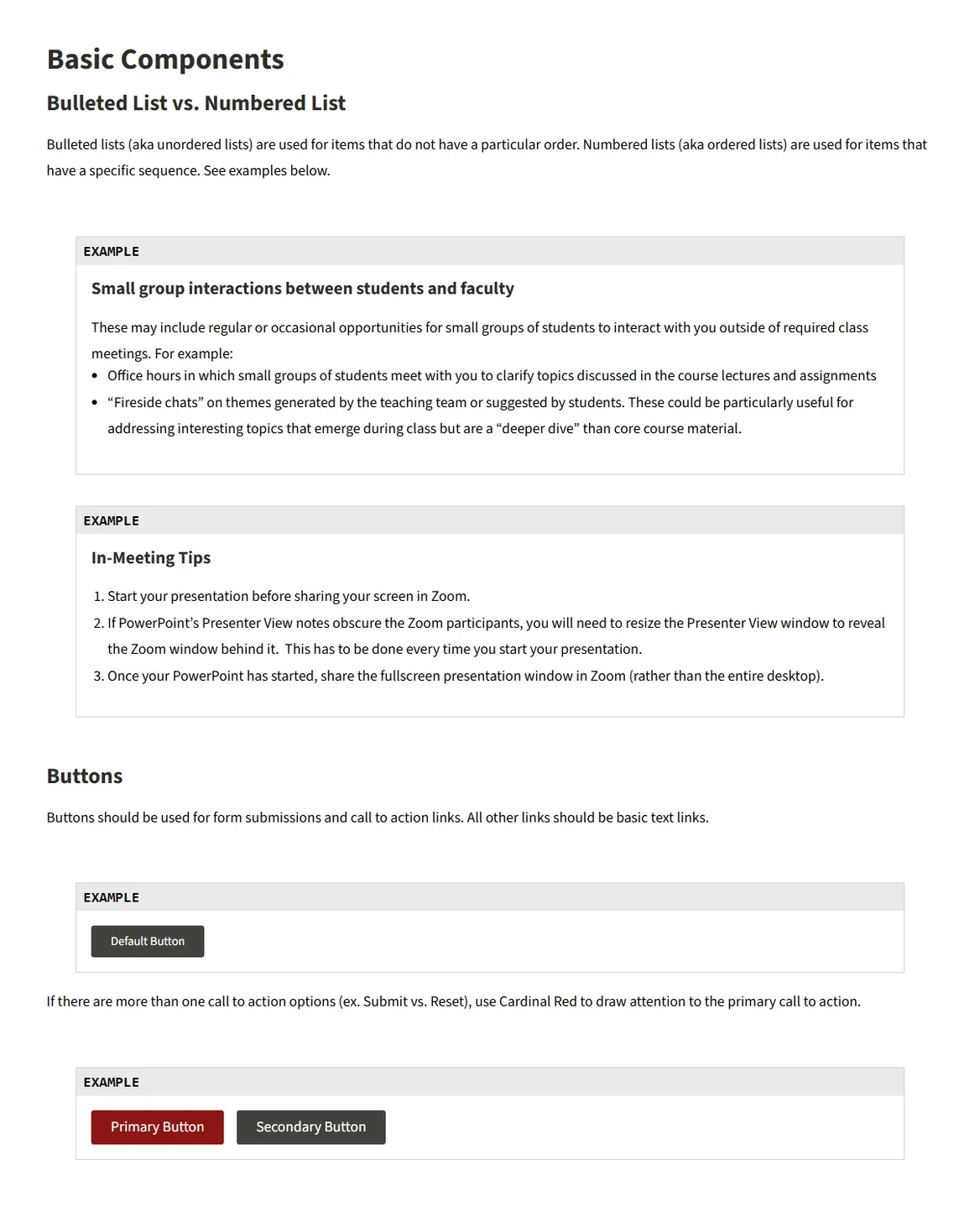
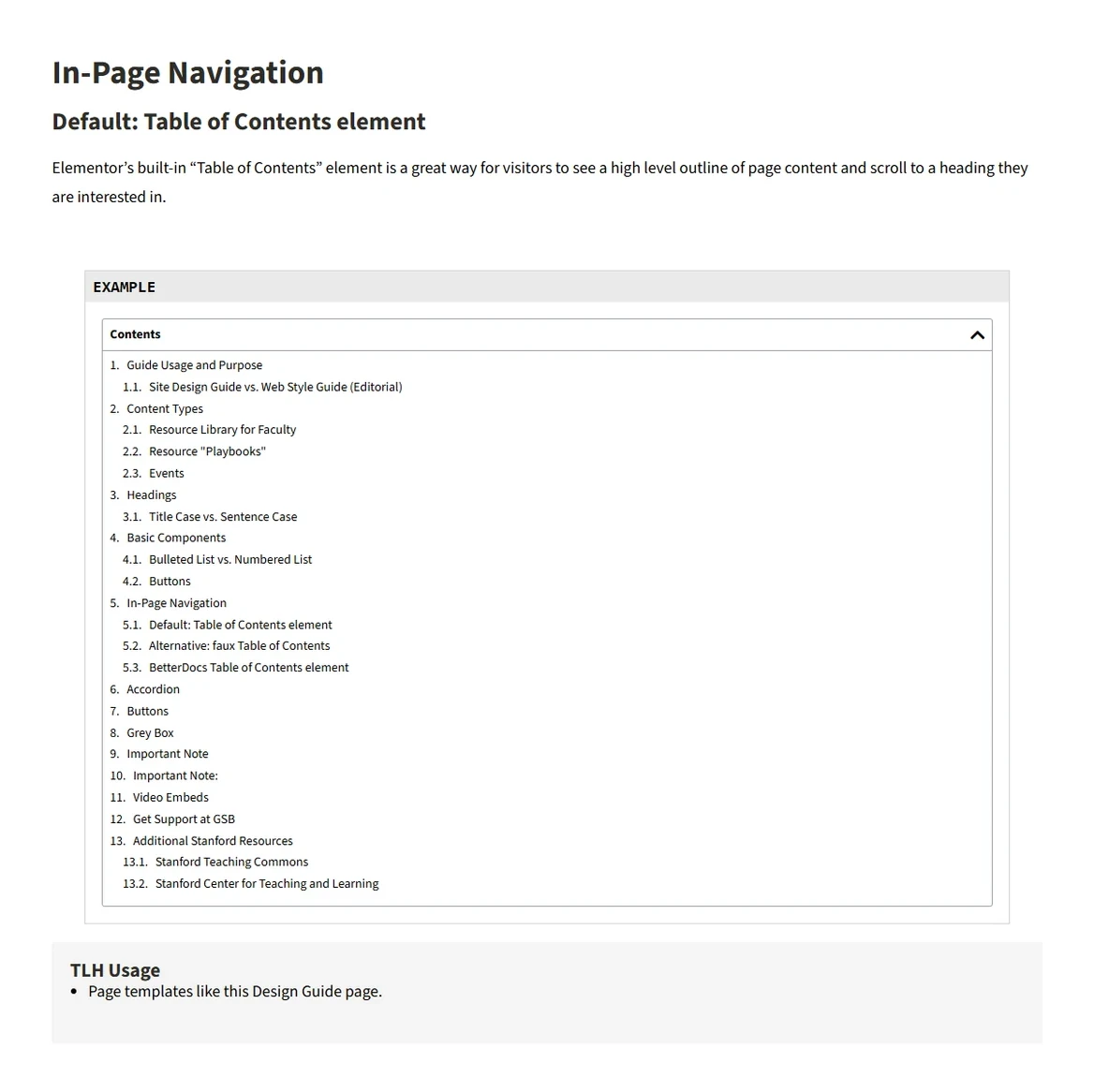
So the site stays consistent as it grows, I wrote a design guide for it, covering everything from headings and lists to buttons, in-page navigation and accordions. I also built and updated the live components behind each example, so Hub editors can use them more easily when they build new article pages.
Media for teaching
A couple of smaller projects took the same thinking into the classroom. A presentation theme gives faculty a consistent starting point for every deck, and a teaching video series needed visuals that held together across episodes.
A presentation theme with the decisions already made
Faculty build their own decks, often from older files or a blank slide. I designed Sequoia, a PowerPoint theme with ready-made layouts for the slides they use most, including title slides, course schedules, side-by-side comparisons, quotes and reflections, charts and closing slides. Type, color and image placement are already set, and the typefaces work on both Mac and PC, so a deck stays legible and on brand without extra formatting.
We share Sequoia with faculty while they develop their course slides, and it's linked from the resources on the Media and Design website. The Hub uses it for its own presentations too, like the welcome for new faculty.

Generative AI visuals, art directed for consistency
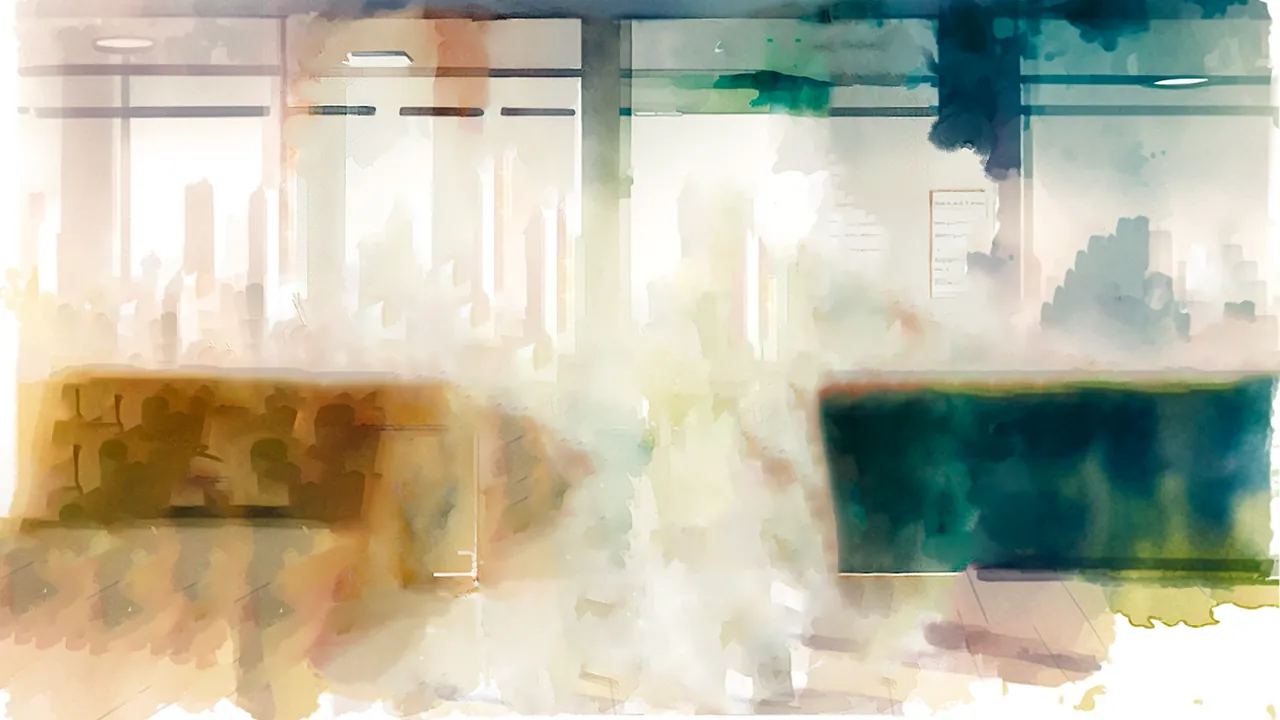
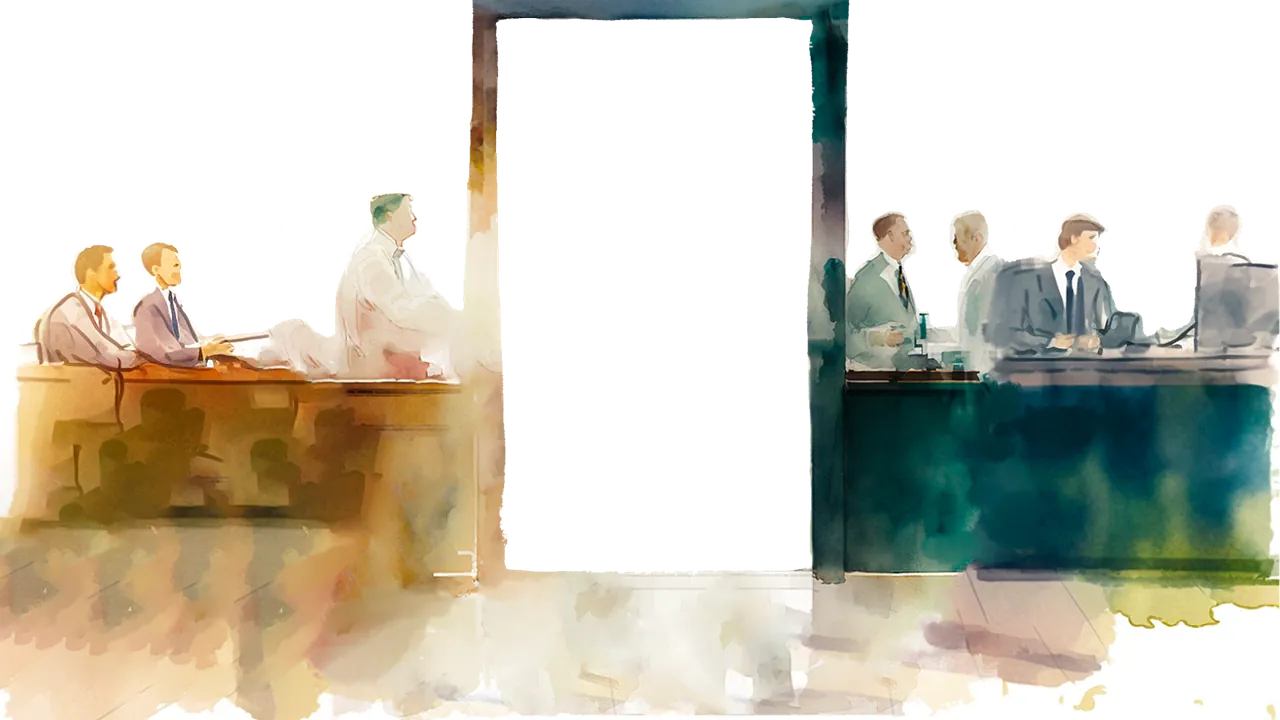
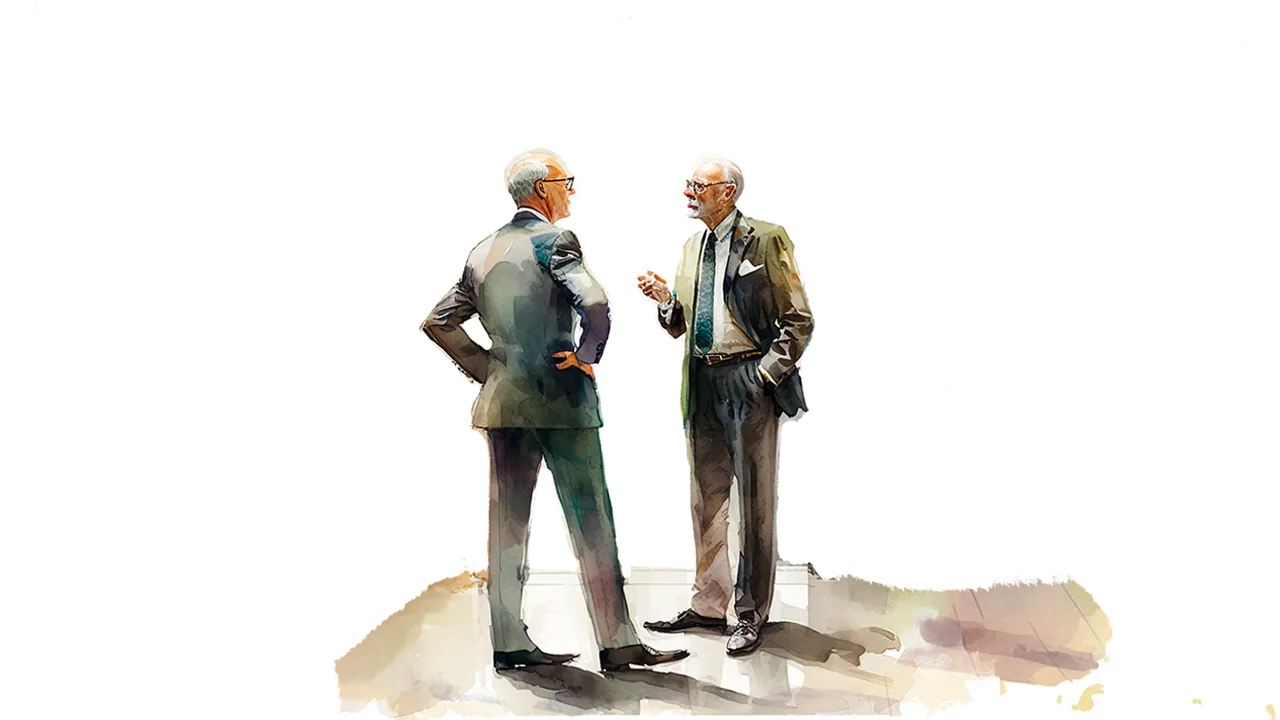
Leadership in Focus: Medal of Honor is a video series about Medal of Honor recipients who took what they learned in the military into business. Each video needed illustrations that held together as one series.
Before generating anything, I worked with the animator, the writer and other stakeholders to define the look, from palette and lighting to composition and level of detail, and used it as the reference for every prompt. Then I combined generative AI, Photoshop and other editing tools to build one finished illustration for each scene.
I separated each illustration into layers and animated them in After Effects, so the camera drifts through the scene with a parallax effect. The clips were then voiced over as part of the larger video.


Outcome
- 50+
- faculty websites on one template system
- 5
- site patterns distilled from the audit
- 2
- web platforms, WordPress and Google Sites
- 20,000+
- people a year view content I led accessibility improvements on
For faculty
Sites that still feel like theirs, on a clearer and more accessible structure, using tools they already know.
For the Hub
Resources that are easier to find, and a more recognizable presence across the site and its materials.
For students
Slides, resources and course materials that are more legible and consistent from one class to the next.
Learnings and next steps
About balance
Designing for academic teams meant constantly weighing clarity against brand consistency. It also taught me to treat accessibility and legibility as part of the brief from day one, instead of a check at the end.
About scale
A template system only goes so far on its own. Helping faculty feel confident using it, with documentation and support, was just as much of the work.
What's next. The same thinking is now reaching AI-assisted teaching. As faculty create more of their course materials with AI, our team works alongside them as content partners and brand stewards, so new materials still feel like the GSB. I've started using AI to build branded websites for faculty presentations, a step past PowerPoint themes.