California Academy of Sciences
Six years of exhibits, screens and digital work for a science museum, including a Digital Animal ID system the Academy went on to use across the whole museum.
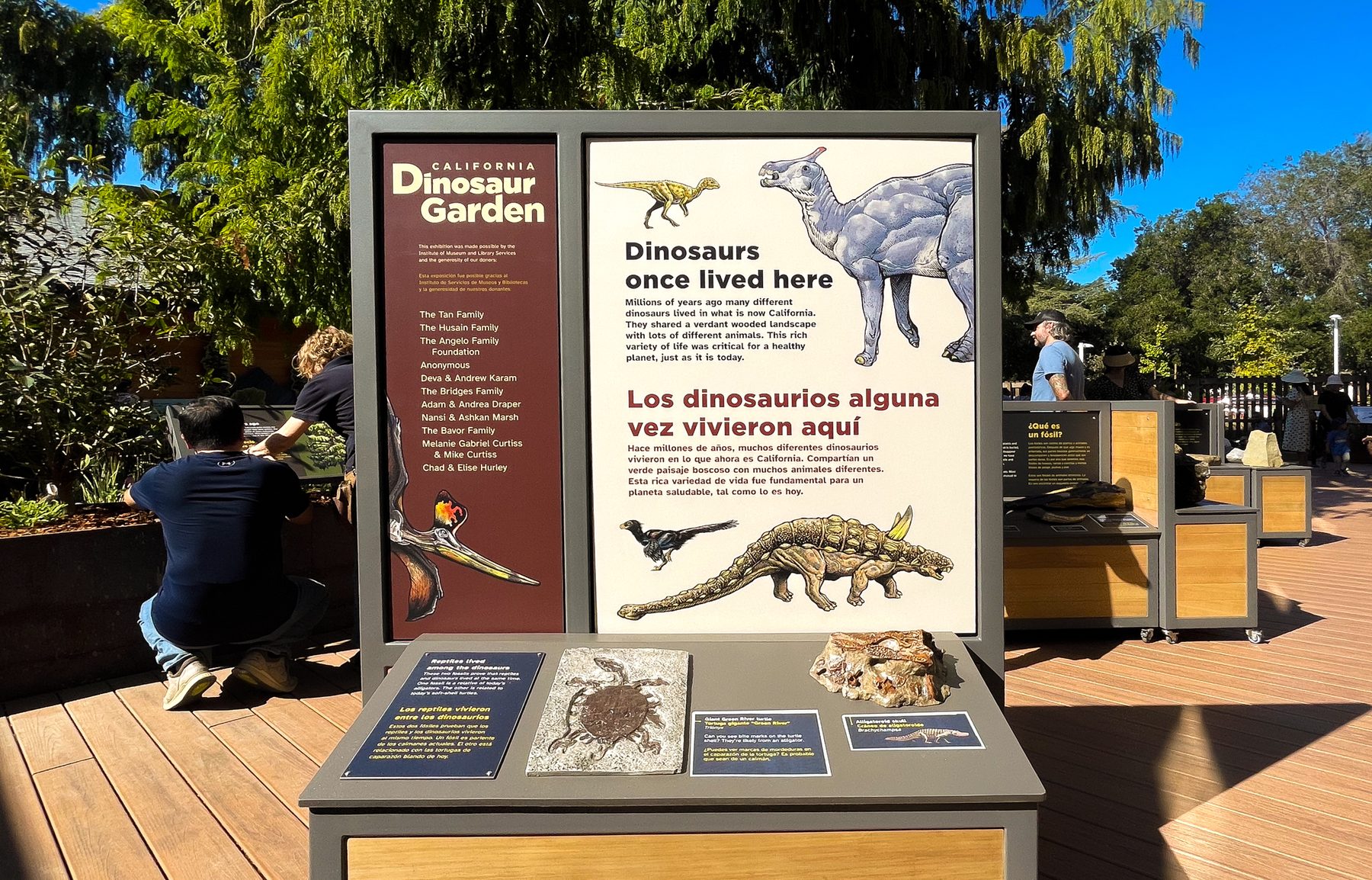
Alongside bioGraphic, I worked on exhibits, interactive screens and digital projects across the Academy. The audience was mostly families and school groups, and the science was often dense, so a lot of the work came back to the same question: how do you make this approachable without losing accuracy?
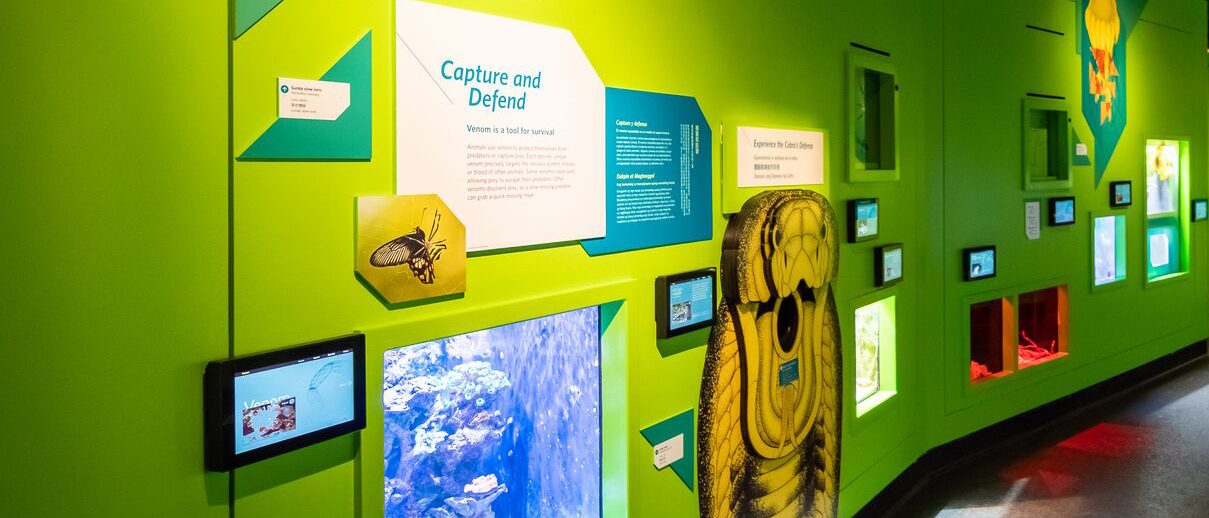
The projects ran from Giants of Land and Sea, through Big Picture and Skin, to Venom. Some of it moved onto screens, and that's where this page starts. A few things shaped nearly all of it:
- Broad audienceKids, families and school groups, many new to the topic.
- Real scienceEvery simplification still had to be accurate.
- Many formatsWall graphics, screens, kiosks and the web.
- Many handsScientists, writers, fabricators and A/V teams.
An animal ID system the whole museum adopted
I designed the Digital ID screens for Venom. The Academy then made them the standard for animal IDs in future exhibits.
- Museum‑wide
- adoption of the
Digital ID system - 50+
- user sessions across
several interactives - 5
- exhibits, including one
I led as lead designer - 6 yrs
- at the Academy,
2015 to 2021
The work
Over six years my work moved from wall graphics toward screens and systems. Venom's animal IDs are where the two came together, so that's where this starts.
Digital animal IDs, for Venom and then the whole museum
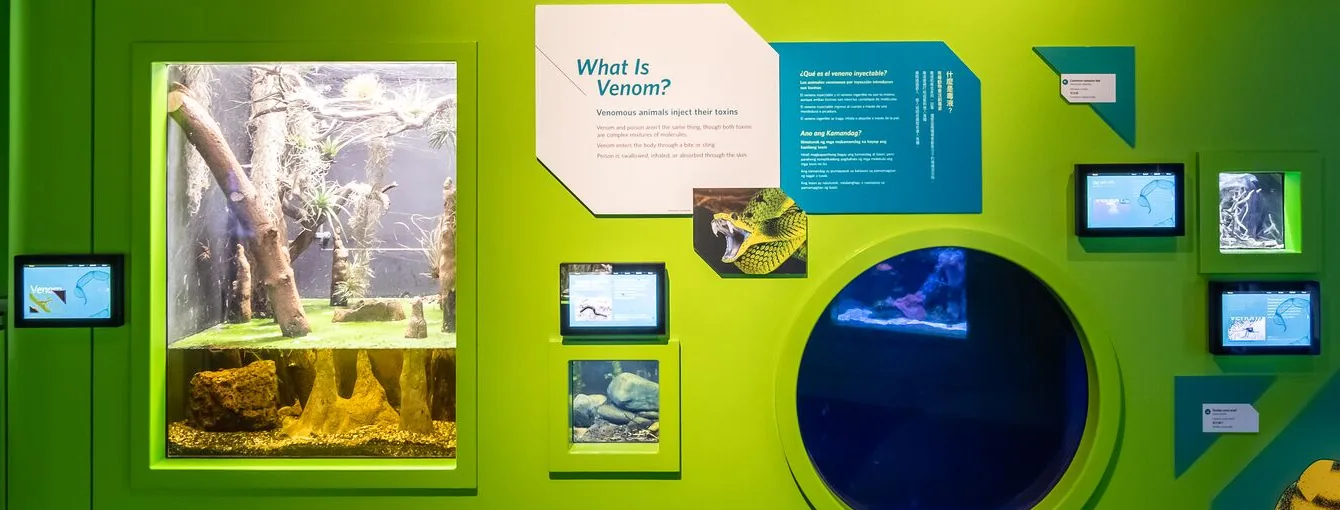
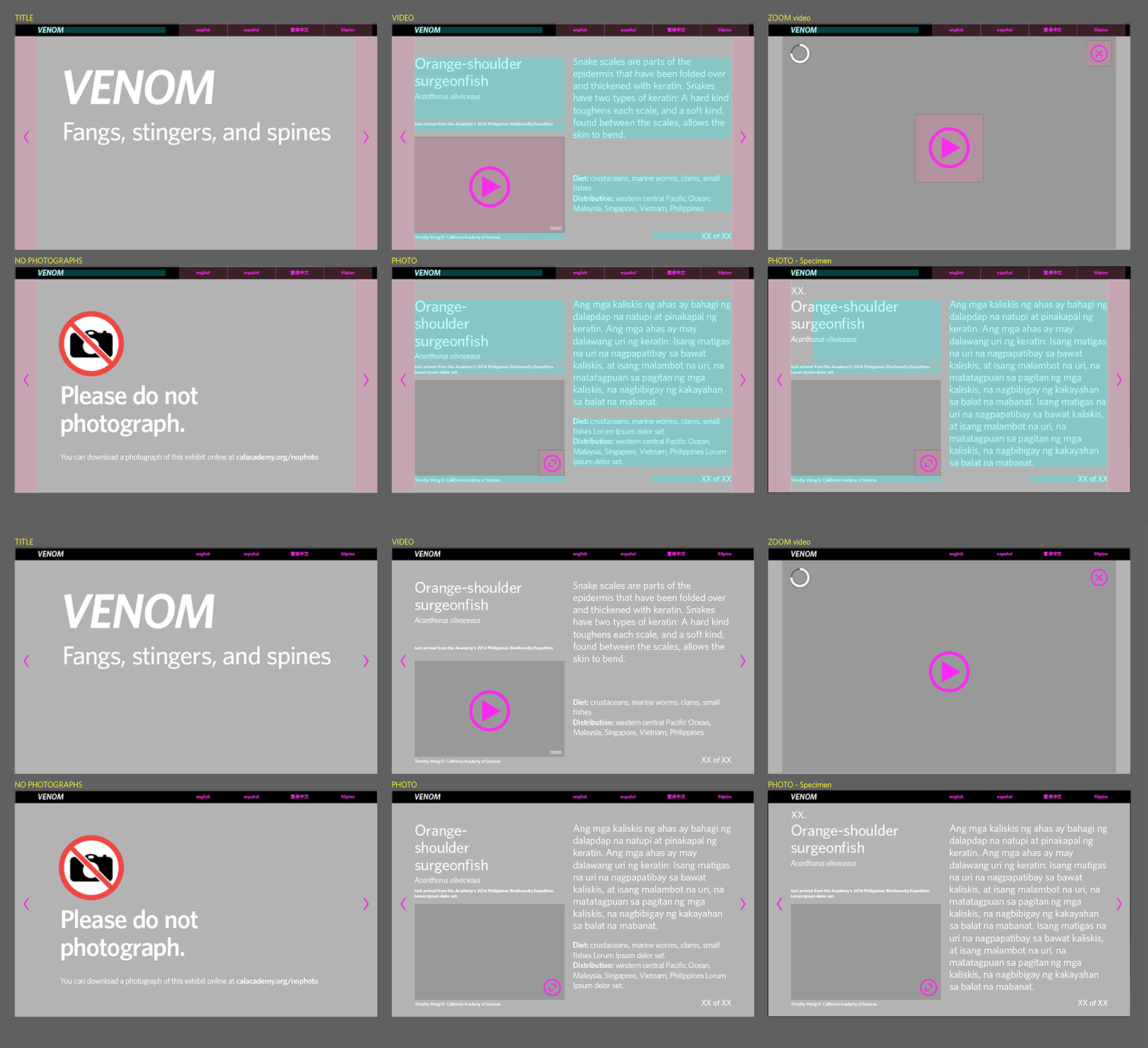
Venom needed touchless screens to identify the live animals in each habitat. I designed the interface, the interaction flow and the content workflow behind it. Every animal ID in the museum now runs on the same system, including throughout the Aquarium on the lower floor.
Scaling back to the content that existed
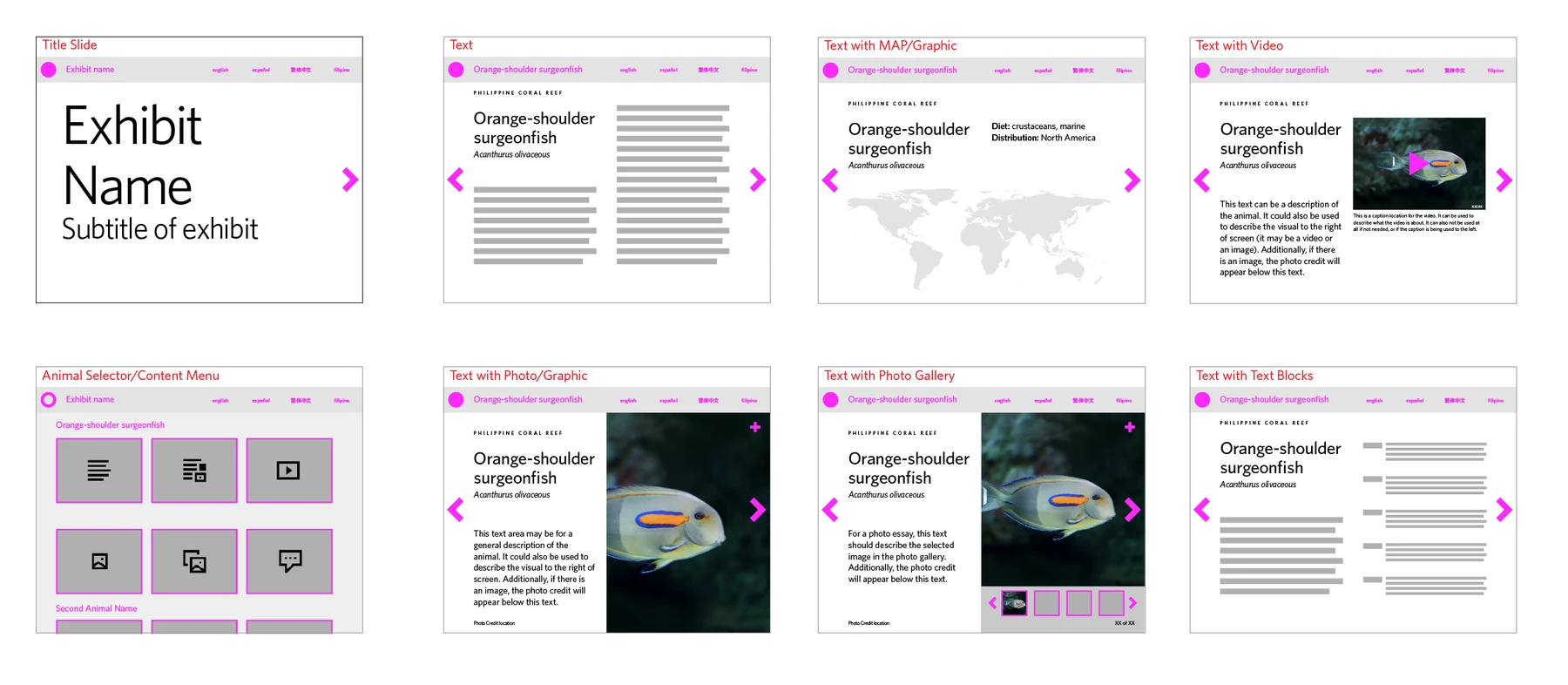
My early designs had room for a map, a photo gallery, video and extra species facts, but that content didn't exist for every animal. Some had only recently been discovered by Academy scientists, so there was very little to show yet. Rather than build screens that promised more than content managers could deliver for each animal, we reduced the build to fit the content that actually existed.
A back end content managers could edit safely
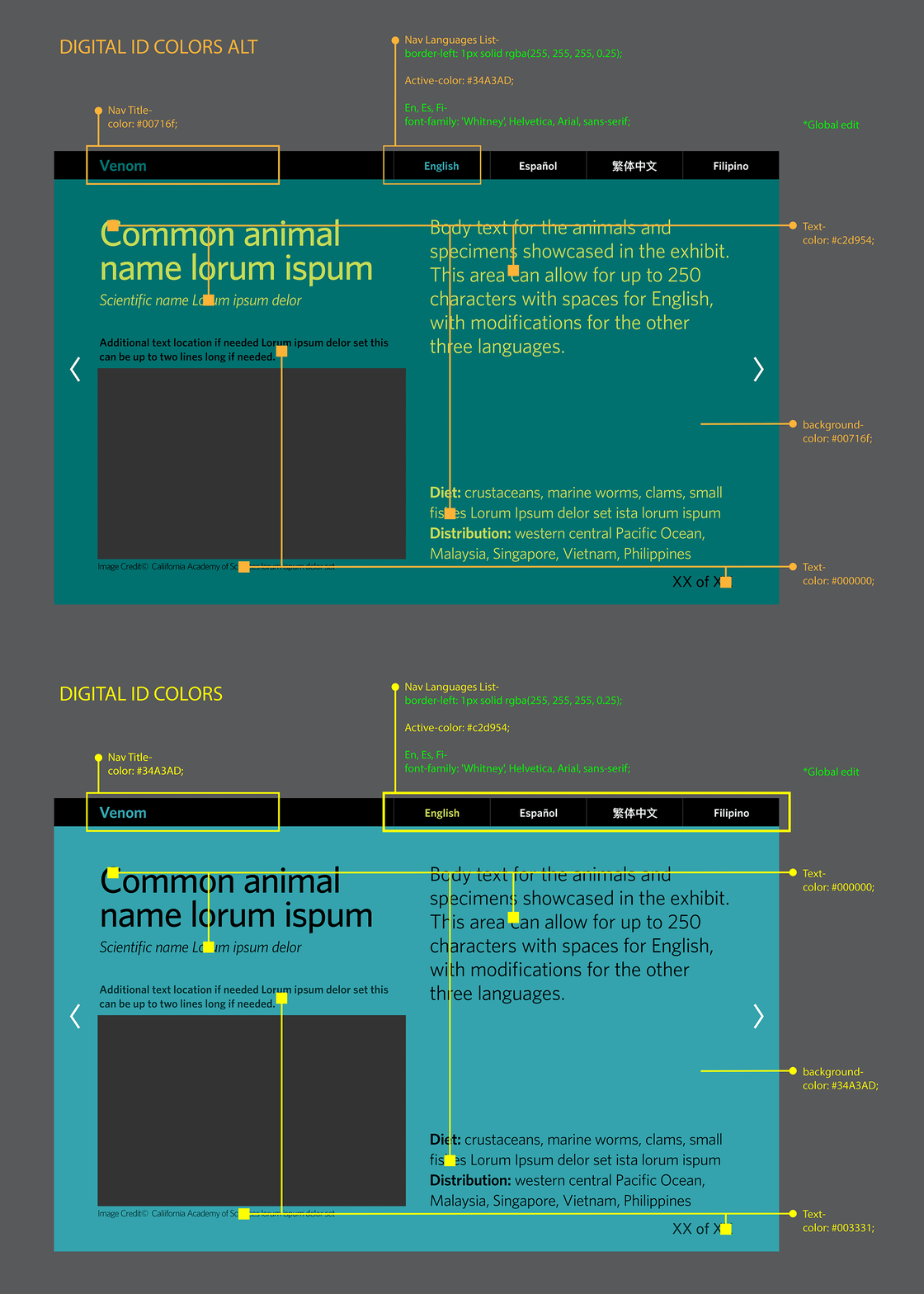
The editing side needed to be simple enough for a content manager to update without anything breaking, so each screen had a fixed layout. Each ID could take on its exhibit's colors, and saved color systems applied to a whole group of screens in one click.
Touchless by default, touchable when wanted
The screens were designed in response to COVID safety measures, so they kept physical contact to a minimum while still delivering the information. Slides moved through each animal on a timer, and visitors could also touch the screen to explore at their own pace.
Even the slide count was deliberate. Showing "1 of 8" let visitors see how far along they were, so the IDs never felt endless, especially while they were advancing on their own.
Timing slides that advance on their own
- What I sawBecause of COVID, we chose not to bring in visitors to test the IDs. Instead we ran informal sessions with Academy employees from outside the creative and exhibits teams. If a slide moved on too quickly, people missed information. Too slowly, and they walked away or touched the screen to move it along.
- What I changedEvery slide got a minimum length, with more time added when its English text went over a set character count. That length then applied to all four languages.
- ResultTiming followed the content, so a slide with more to read stayed up longer, in every language.
Making room for four languages
- What I sawEvery ID ran in English, Spanish, Chinese and Filipino, and the same text could be much longer or shorter from one language to the next. In fixed layouts, the longer translations strained the space.
- What I changedI set character limits on each text field and added text size adjustments, with minimum sizes so translated text could fit without getting too small to read.
- ResultContent managers could update all four languages without breaking a screen.
A map for Big Picture, on the wall and online
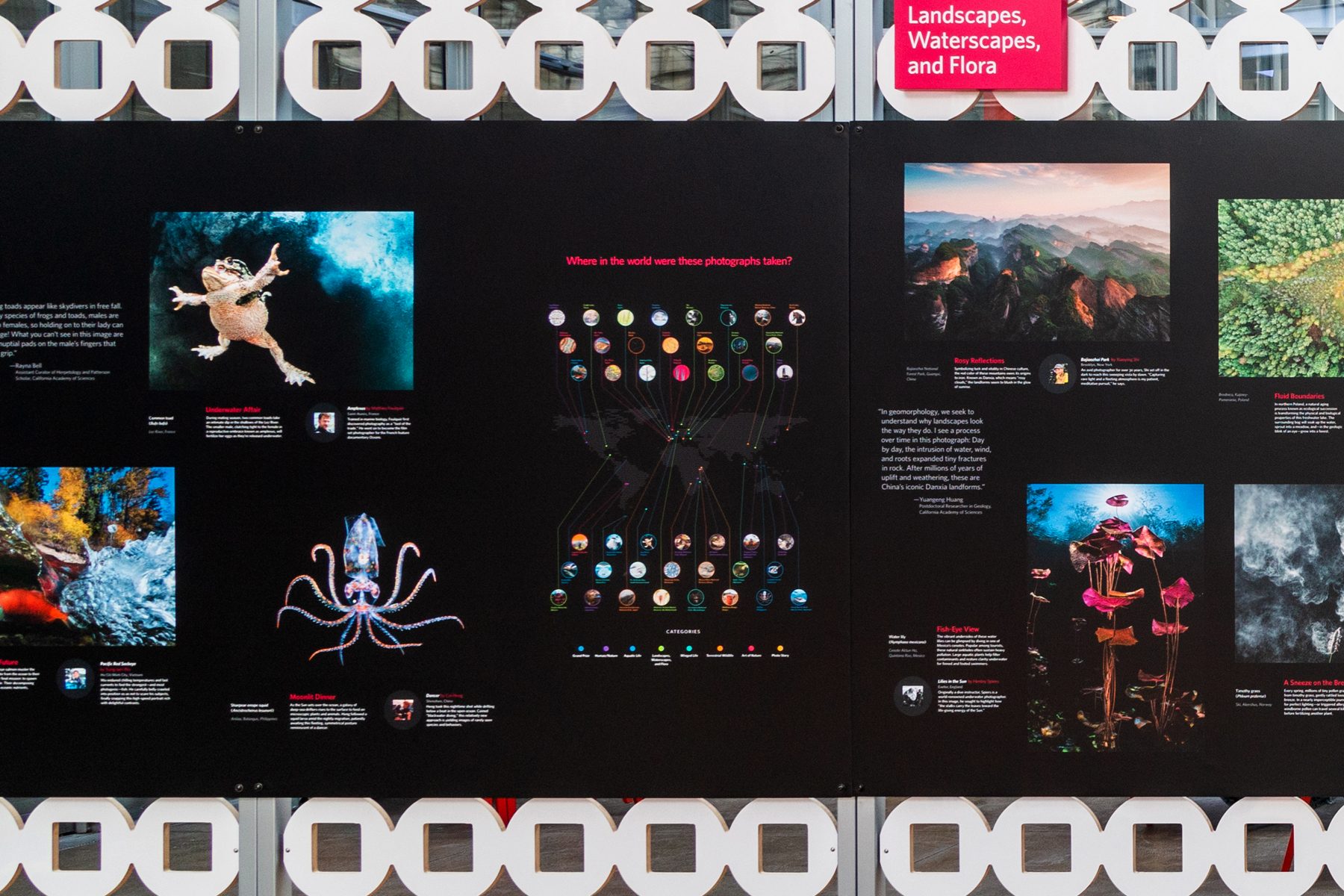
In 2020 I was asked to help visitors connect with the Big Picture photography competition, so I designed a world map for the gallery wall and built an interactive version for the web.
From photo metadata to a wall-sized map
I gathered the location, category and subject for every winning photograph, cleaned and organized the data, and designed a modular map that worked at both gallery scale and screen size.
The same map, explorable anywhere
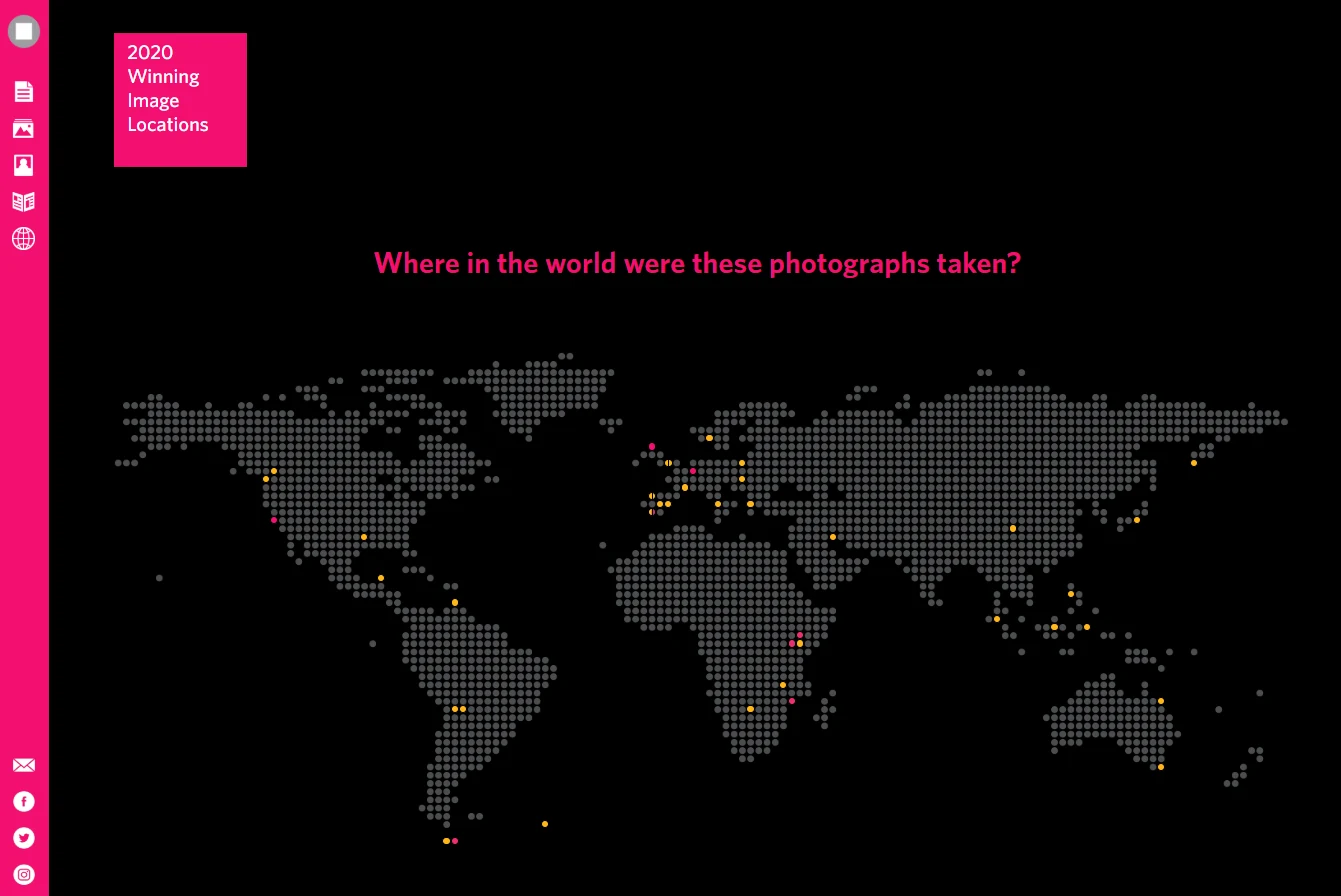
For the web, I built interactive maps of the 2019 and 2020 winners, with rollover points and popups for each photo, so people could explore the stories behind the images from anywhere.
The following year, another designer made the 2021 wall map, building on the approach I'd developed in 2020. I created the 2021 web map and worked with internal teams on a touchscreen kiosk that showed the interactive map in the gallery.
What if the map had kept going?
After I left the Academy, no new web maps were made, and I was curious what they would have looked like. As a personal project, I built a new version of the interactive that includes every winning year. I made it with AI tools, using the winner data on the Big Picture website. Filters let you browse by category, or show only the grand prize winners and where their photos were taken.
Exhibit graphics, from Giants to Sharks
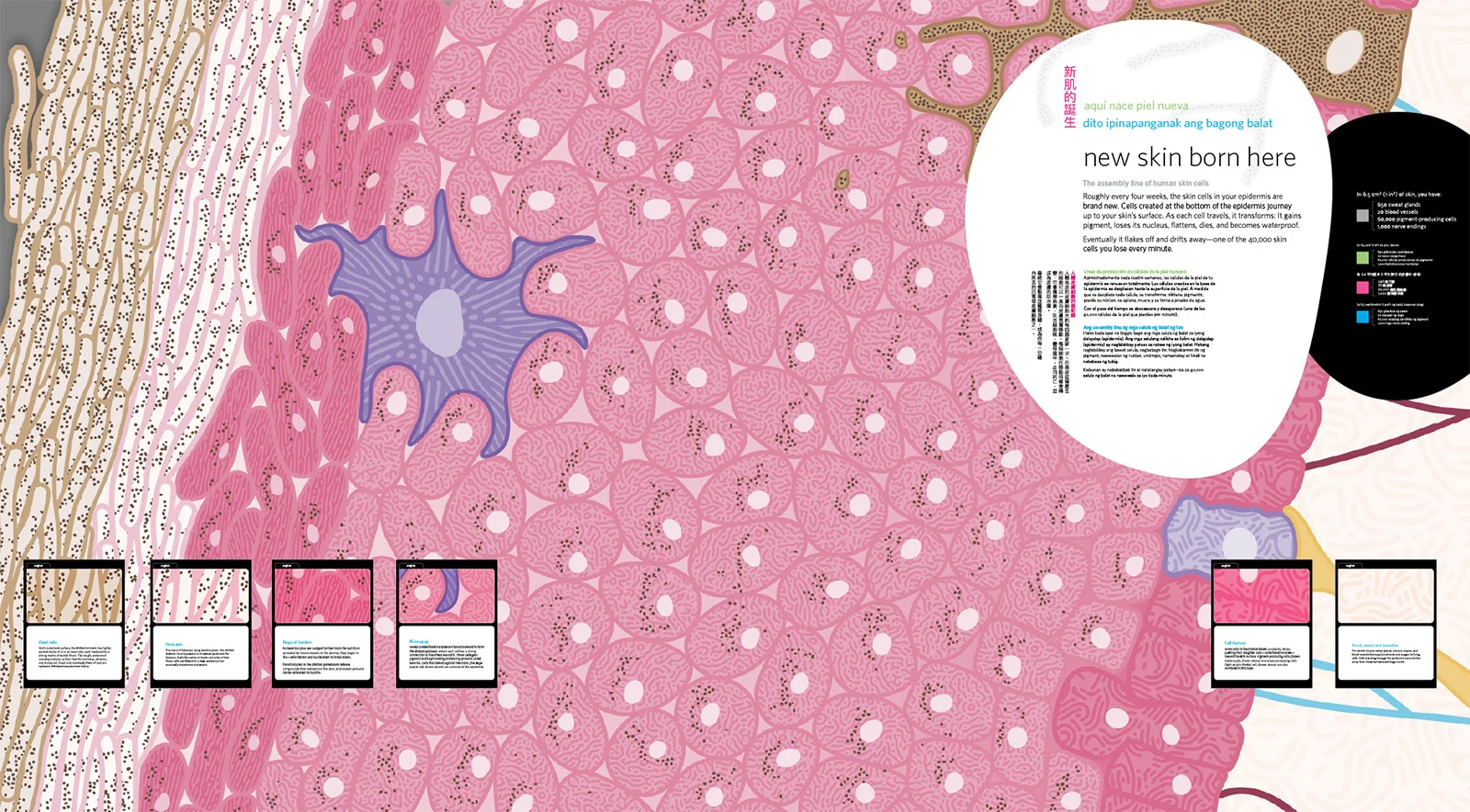
Most of my exhibit work was explaining big or invisible systems, like fog, upwelling, the layers of skin or how venom works, through diagrams, illustration and interactives people could touch.
Four exhibits
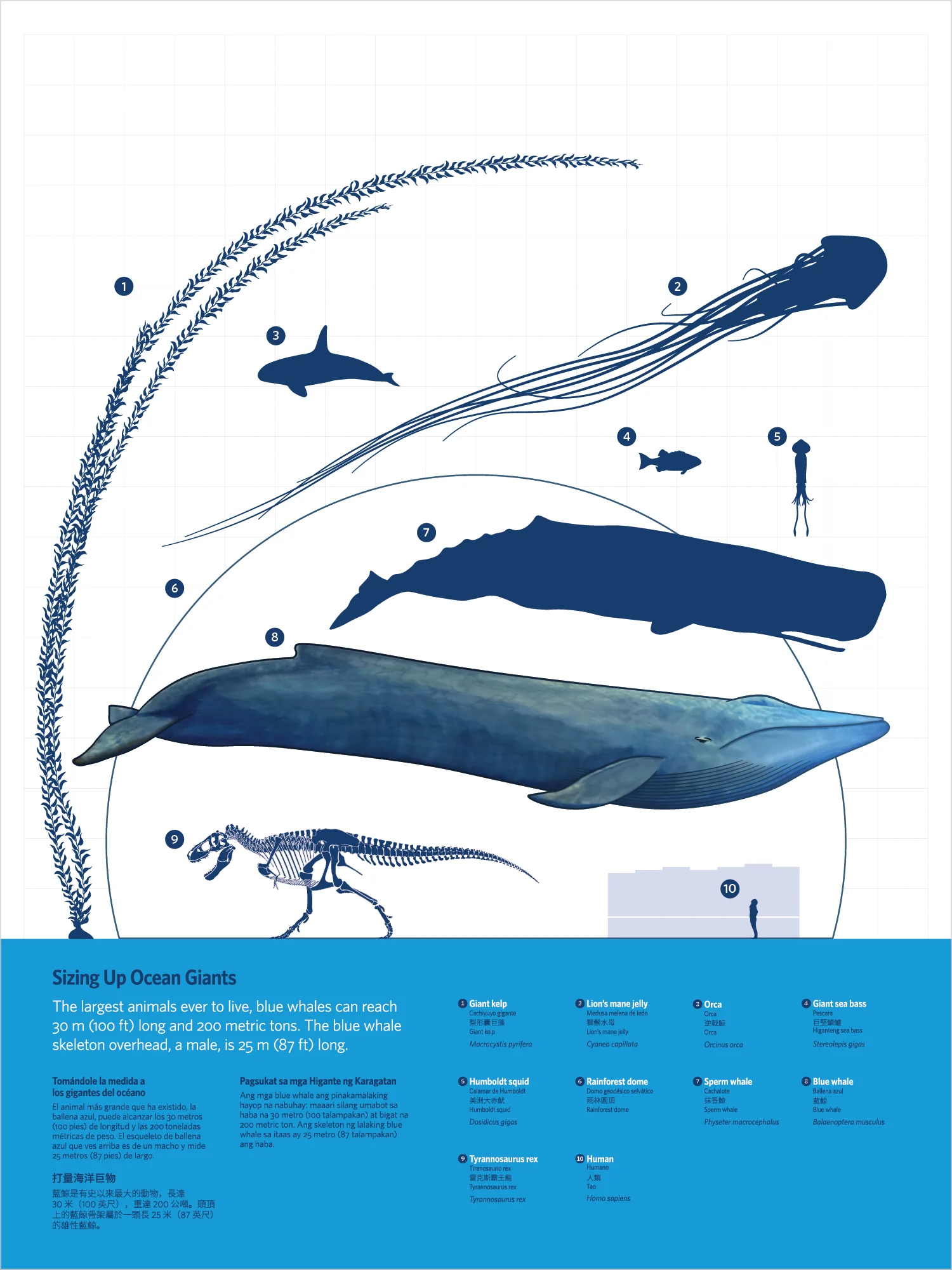
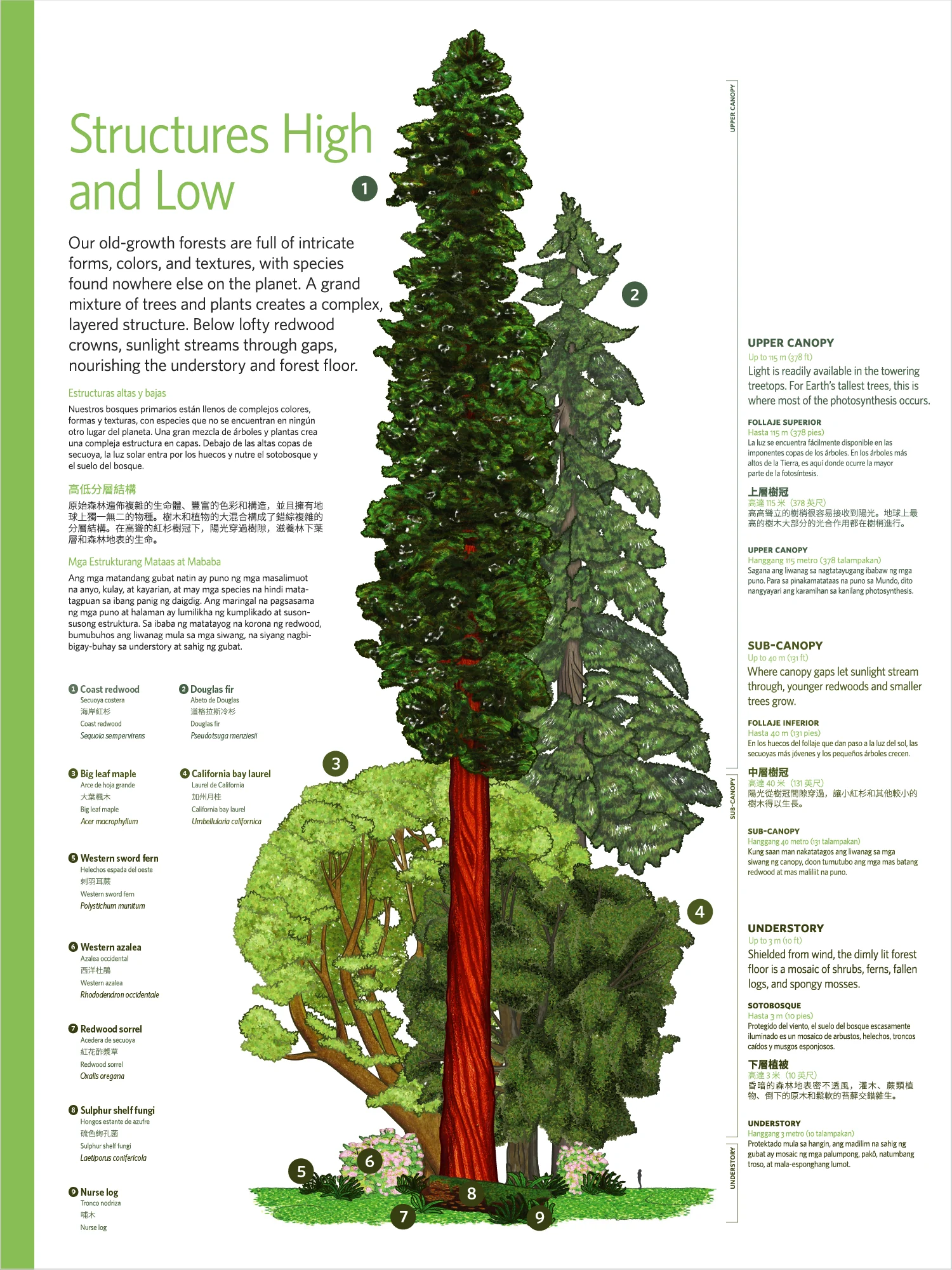
For Giants of Land and Sea, I designed diagrams and panels about redwoods, whales and the coastal systems that connect them, laid out to hold three additional languages, and I art directed an outside illustrator.
For Skin, I developed a cross-section illustration style that became the basis for many of the exhibit's graphics and animations.
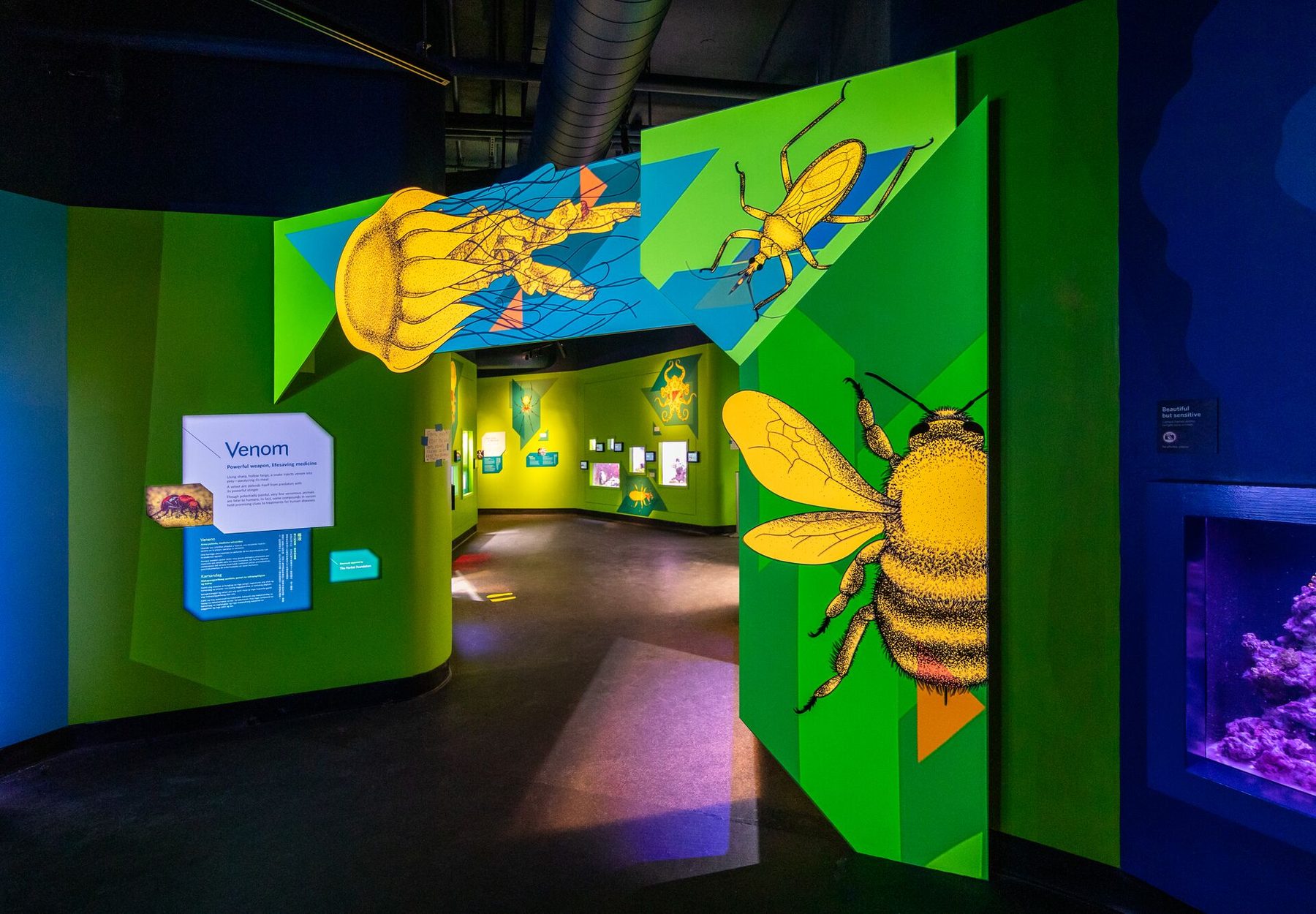
For Venom, color and type followed the emotional tone of each animal, and a projected animation moved over the printed illustration at the entrances.
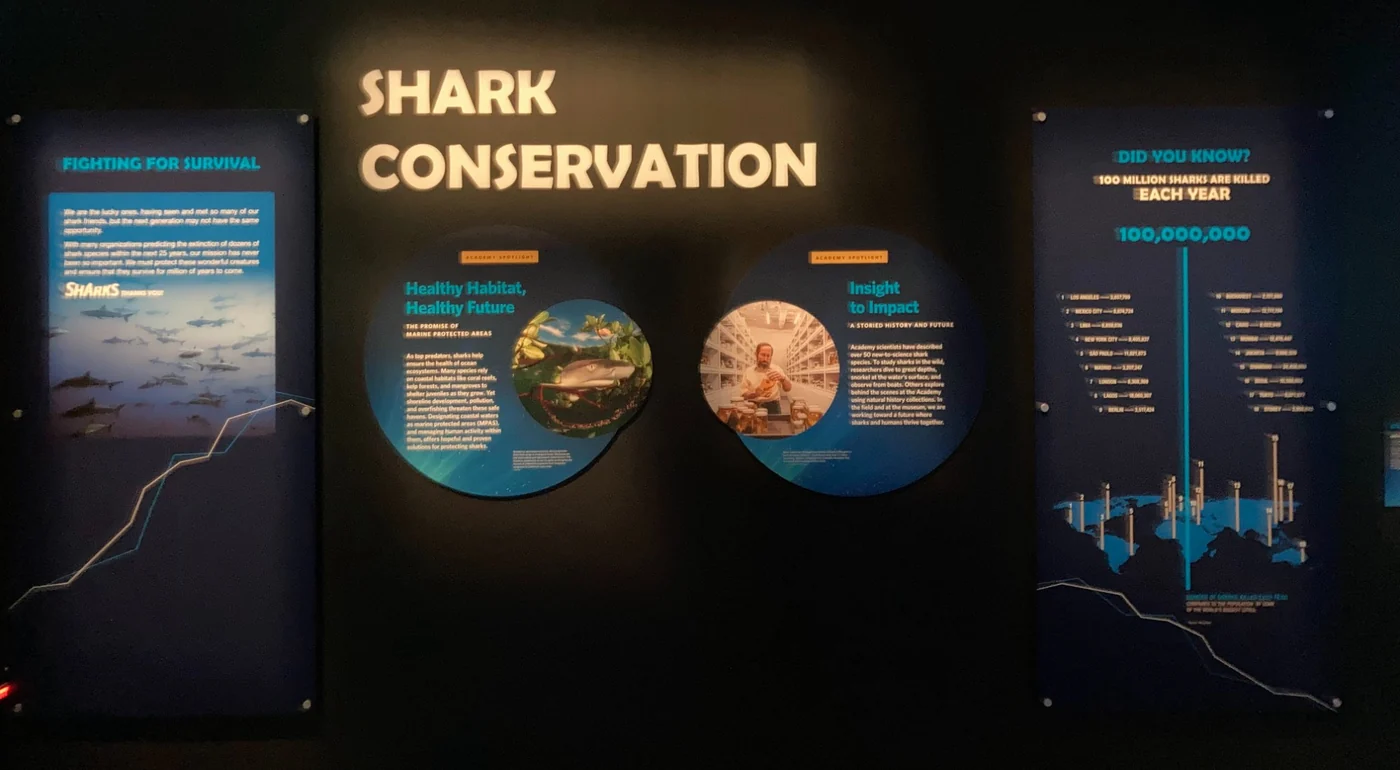
On Sharks, a traveling exhibit, I was the lead designer. I designed the panels and helped manage the project, including working with outside vendors and preparators.
Outcome
- Museum‑wide
- adoption of the Digital ID system as the standard for future exhibits
- 50+
- user sessions across several interactives
- 3
- additional languages built into the Giants panels
- 4
- formats: wall graphics, screens, a gallery kiosk and the web
For visitors
Dense science explained through diagrams, touch and screens, at a level families and school groups could follow.
For content managers
Animal ID screens they could update themselves, with set layouts, word counts and color systems that changed groups of screens at once.
For the Academy
A Digital ID system it adopted as the standard for future exhibits, and a map that took Big Picture beyond the gallery.
Most of the 50+ user sessions were for Skin and Giants of Land and Sea. We put kiosks and temporary builds on the floor with museum visitors to test specific features before they were final. On one Skin interactive with tactile touchpoints, we watched whether visitors went straight for the touchpoints or stopped to read the instructions and the information beside them. Visitors tended to start touching before reading, so we made the text shorter and larger, and gave it a more prominent spot next to the touchpoints. That let visitors read while they explored, instead of doing one and then the other.
Learnings and next steps
About layers
Visitors arrive knowing very different amounts. Giving them several ways in, through a diagram, an object to touch or a screen to explore, worked better than trying to write one panel for everyone.
About directing
Art directing an outside illustrator on Giants taught me how to guide someone else's creative work while keeping the clarity and accessibility goals of the whole exhibit in view.
What came next. Of my exhibit projects, the Digital ID system is the closest to the work I do now, a set of patterns and a workflow that other teams could keep running on their own.